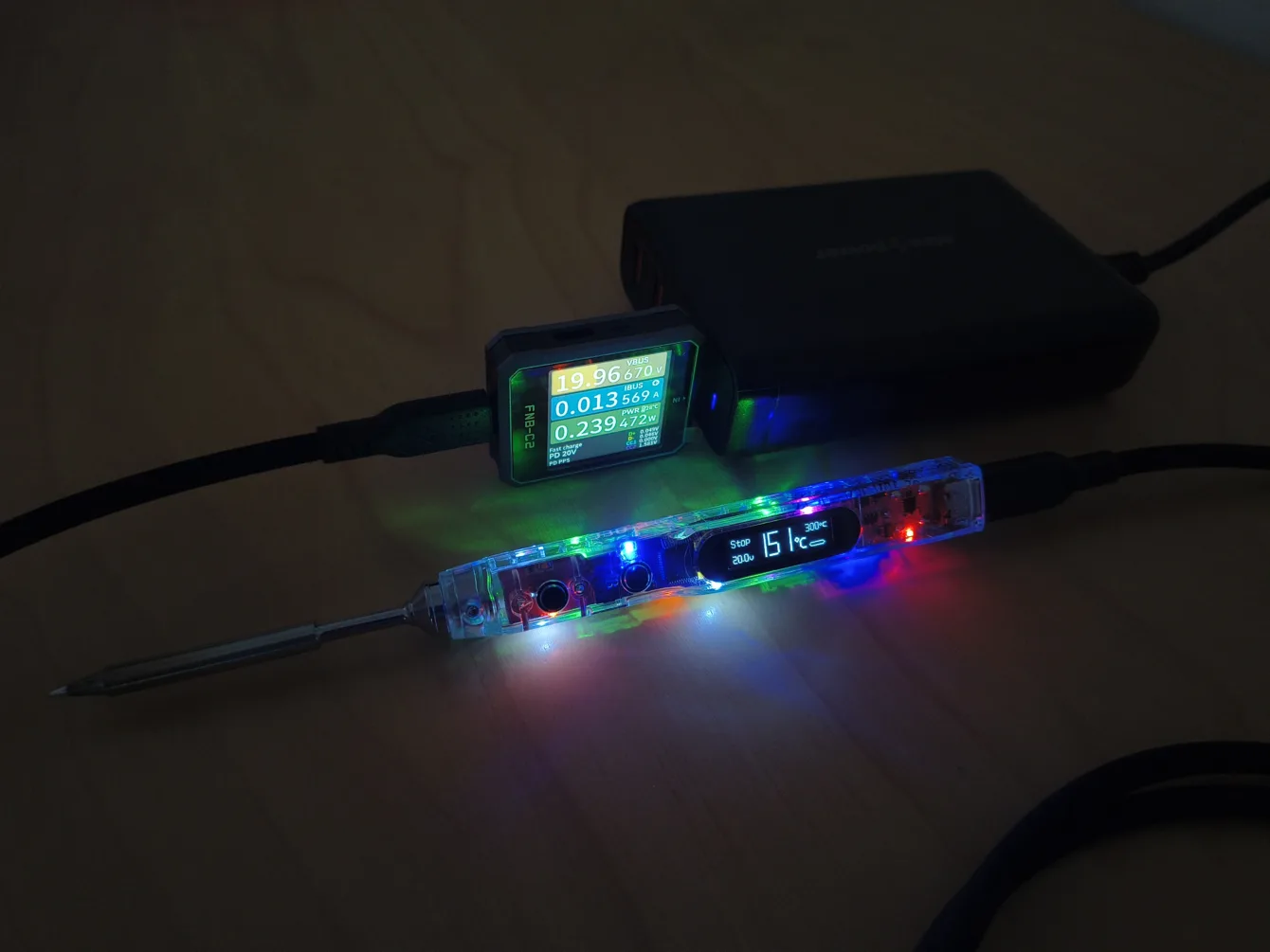
I bought a soldering iron to try out, a complete set, from the company Sequre – specifically the SI012 Pro Max model. I was and still am very excited about the soldering tweezers from the same company. How will the SI012 Pro Max soldering iron perform?
A bit of a circus, protection against uploading the wrong firmware, but the heating speed is nothing special.
This review could only be made possible thanks to your purchases through affiliate links and voting at https://bastlirskykalendar.eu/
More reviews of Sequre soldering irons and tweezers
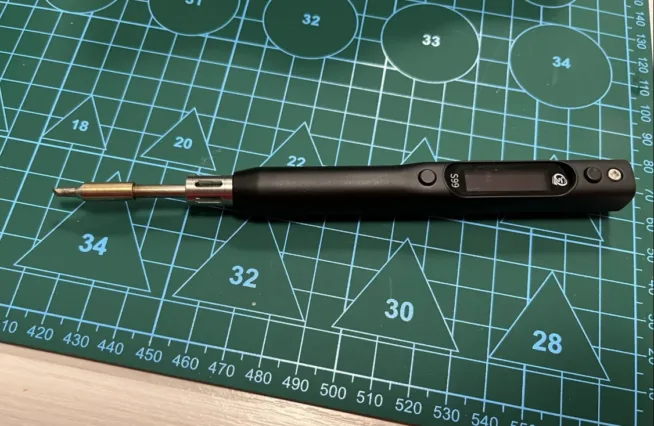
Sequre S99 – https://chiptron.cz/pajeci-pero-sequre-s99-jake-je-nazor-z-pohledu-bastlire/
Sequre HT140 – https://chiptron.cz/pajeci-pinzeta-ht140-hodi-se-to-do-bastlirske-dilny/
What’s in the set
The set contains, from my perspective, basic components – the body of the soldering iron, the soldering tip – you can use tips from the TS and T12 series. This is an advantage of this iron; it supports both common types of tips that are widely used.
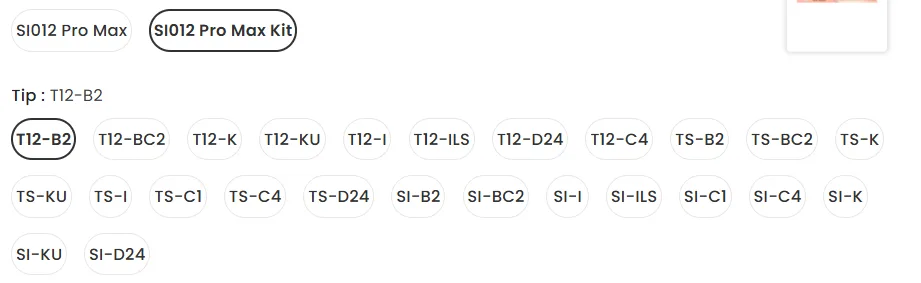
I purchased a set from laskakit and it includes the TS-B2 tip, and I also bought an additional replacement tip TS-BC2.
The SI012 can be powered via USB-C (PD/QC) (through which the firmware can also be updated) or a coaxial connector. There is an adapter for coaxial cable connectors for 3S to 6S battery packs. The set also includes an Allen key and two spare screws for tightening the tip to the body of the soldering iron.
If you don’t need to change tips often, it won’t bother you. However, I change tips frequently, and so loosening the screws, changing the tip, and tightening the screws again is quite annoying.
The set also includes a few meters of solder and a tip stand that I really dislike. It’s very small, doesn’t hold well, and is really only useful in an emergency.
And finally, a zippered case that doesn’t fit the soldering iron with the tip. So either you enjoy screwing the Allen screws or you throw the case away because it’s impractical.
Specifications
Powering via USB-C or through a coaxial connector is very practical. It’s a pity that the minimum voltage is 9V; at 5V, it reports low input voltage – but it does turn on. The soldering tweezers work from 5V, so they can be used with any charging adapter – even the simplest ones.
The 128×32 px OLED displays all necessary information: input voltage, current and set temperature, and an indicator (bar graph) of how much power is being drawn.
The maximum power of the soldering iron is 100W. The power of the soldering iron with the T12 tip is a maximum of 65W, while with the TS tip it is 75W.
In my measurements (100W adapter, 100W cable with eMarker chip), with the TS-B2 tip, it only drew 45W. This aligns with the heating time and power table mentioned on the manufacturer’s website.
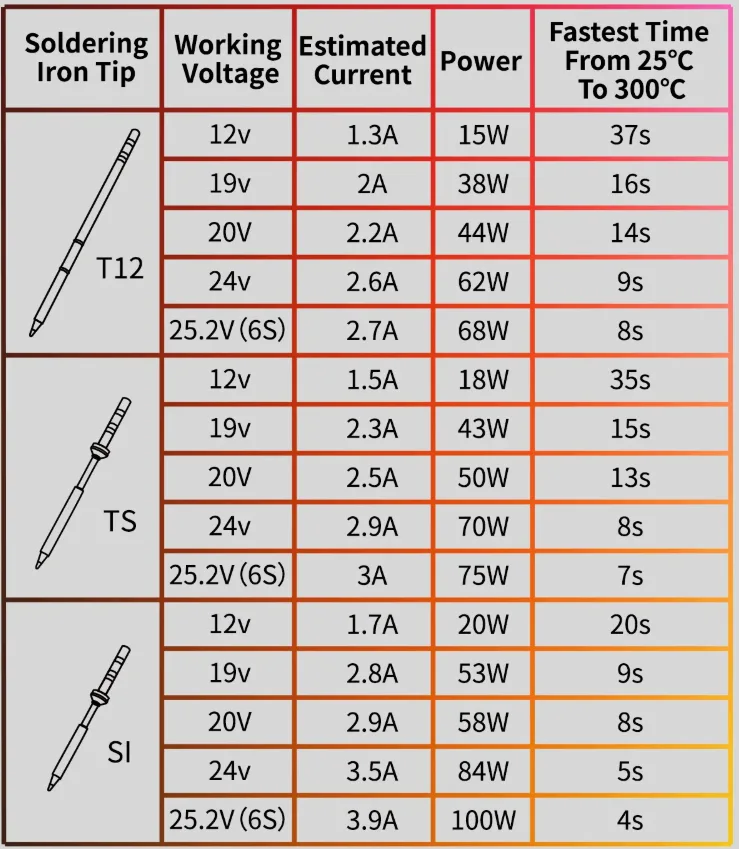
Heating from 20 °C to 300 °C took approximately 10 seconds in my case, which is less than mentioned in the table – this could have been positively influenced by using a different tip from the TS soldering tip series than the one used by the manufacturer as a reference. Video at the end of the article.
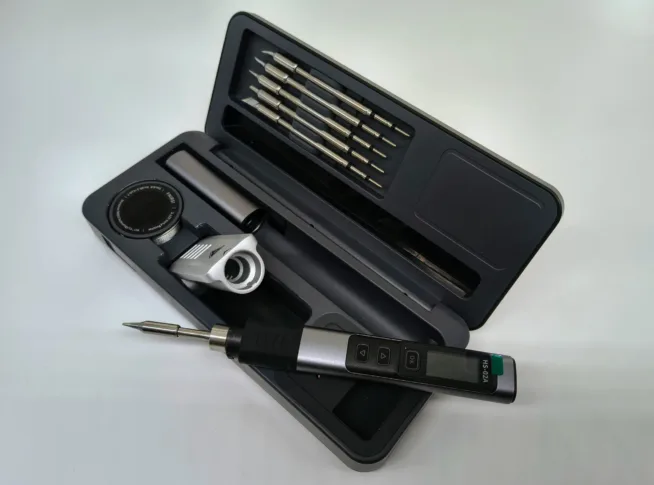
The weight of the soldering iron is only 24.5g without the tip, and with the TS-B2 tip, it’s just 35g. The soldering iron is very lightweight – much lighter than the FNIRSI HS-02A, which weighs over 51g with the tip. The SI012 is only slightly heavier than the Pinecil v2, which weighs 30g with the tip.
I must not forget to mention the circus of colored LEDs that blink upon activation and during soldering. The colored LEDs can be turned off in the soldering iron’s menu.
Practical Use
The casing of the soldering iron is made of transparent plastic, and paradoxically, the soldering iron is quite comfortable to hold while soldering. The body does not heat up uncomfortably even after dozens of minutes of soldering.
I had no experience with TS soldering tips until now, and I was negatively surprised by how far the soldering tip is from the body of the soldering iron, where it is held. I am used to Weller tips, where the tip is closer, allowing the hobbyist better control over where they are soldering. The SI tips are nearly 2cm shorter, so next time I would choose them instead of TS tips (103 (TS) vs 85 (SI) mm). Moreover, SI tips heat up faster – higher power.
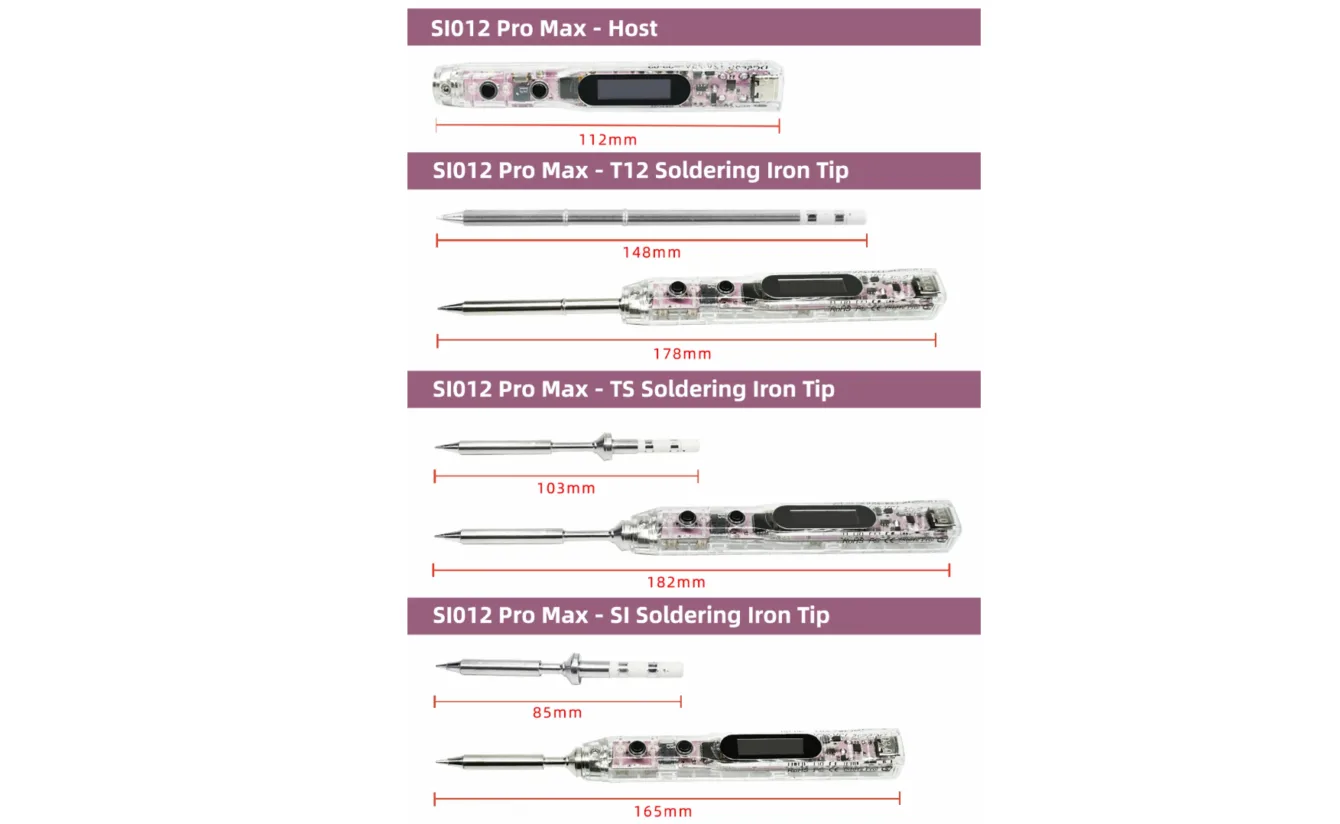
The soldering iron has only two buttons, so control and settings can be done through them.
By pressing button B for a long time, you enter the soldering iron’s menu. A short press on A or B scrolls through the menu, and a long press on B enters the selected submenu. Exiting the submenu happens automatically after a few seconds.
By pressing button A for a long time, you turn on the soldering iron – heating.
A short press on buttons A and B adjusts the set temperature of the soldering iron. The temperature step is set in the menu. The default is 50 °C; I recommend setting it to 25 °C instead.
Firmware Update for the Soldering Iron
Download the correct firmware file (HEX). The first time, I downloaded the firmware for the SI012 and tried to upload it to the SI012 Pro Max. The soldering iron refused to update – and rightly so, because SI012 and SI012 Pro Max are two different products. Thus, I did not damage the soldering iron by my own mistake (uploading the wrong firmware), as the soldering iron correctly denied this update.
After downloading the correct firmware, the update was successful.
Before turning on the soldering iron, press button A and then connect the USB-C cable from your computer. The SI012 Pro Max will register as a flash drive, where you can drag the HEX file. That’s it. Then disconnect the USB-C cable and connect the USB-C cable from the charging adapter, and you can start soldering. The current firmware will be displayed immediately upon turning on the soldering iron.
Conclusion
For just a few hundred crowns, it’s an interesting soldering iron that will find its use both on the go and in the hobbyist’s workshop.
I won’t be using the stand and case in the end, so it’s a useless investment. On the contrary, it pays off to invest in SI tips (instead of TS or T12) because they are shorter – the hobbyist has better control over soldering, and the tip also heats up faster.
Fortunately, the colorful LED circus can be turned off, and it currently makes no sense. A meaningful use of the colored LEDs would be more in indicating
- heating – red
- heated – green
I bought the set and the replacement TS tip at laskakit.cz, and it is also available on the manufacturer’s e-shop sequre.
With the coupon CHIPTRONCZ on Sequre, you get a 6% discount – affiliate.
More reviews of Sequre soldering irons and tweezers
Sequre S99 – https://chiptron.cz/pajeci-pero-sequre-s99-jake-je-nazor-z-pohledu-bastlire/
Sequre HT140 – https://chiptron.cz/pajeci-pinzeta-ht140-hodi-se-to-do-bastlirske-dilny/