Why is e-paper still so slow
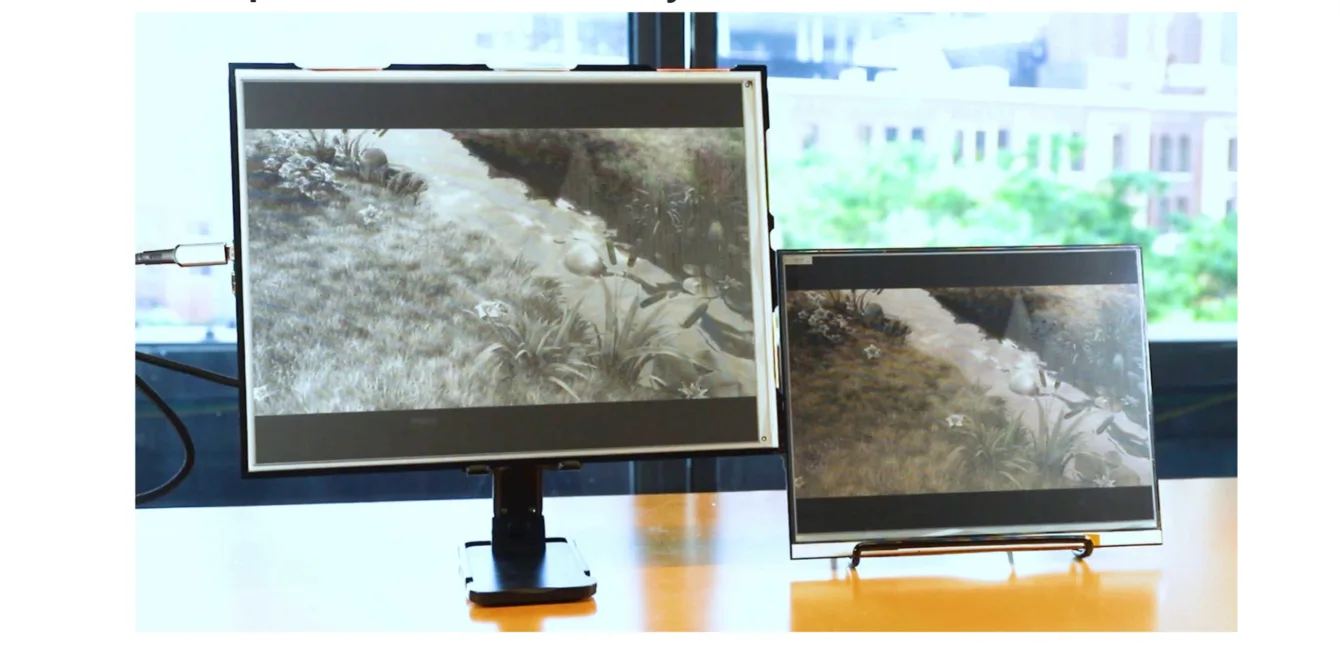
E-paper has traits a regular monitor can’t match. No flicker, no glare in your eyes, the image stays after power is cut, it’s readable in direct sunlight, and viewing angles are excellent.
Yet twenty years after the first readers it still hasn’t moved much beyond e-readers, shelf labels, and a handful of expensive monitors.
The bottleneck is refresh speed. E-paper has come a long way in two decades – higher resolution, faster updates, more colors for the same money – but none of that has been enough for wider adoption.
The fastest panels manage one refresh per second; most are slower. Writing on them feels laggy, and the cursor jumps instead of gliding.
The Modos Tech team in Boston tackled both problems at once.
FPGA driver board
The heart of the kit is an FPGA. Instead of a fixed circuit it can be configured to behave like whatever logic you need. The advantage is speed: image processing runs in parallel hardware rather than step-by-step in code.
The configuration Modos loads is called Caster and is open source.
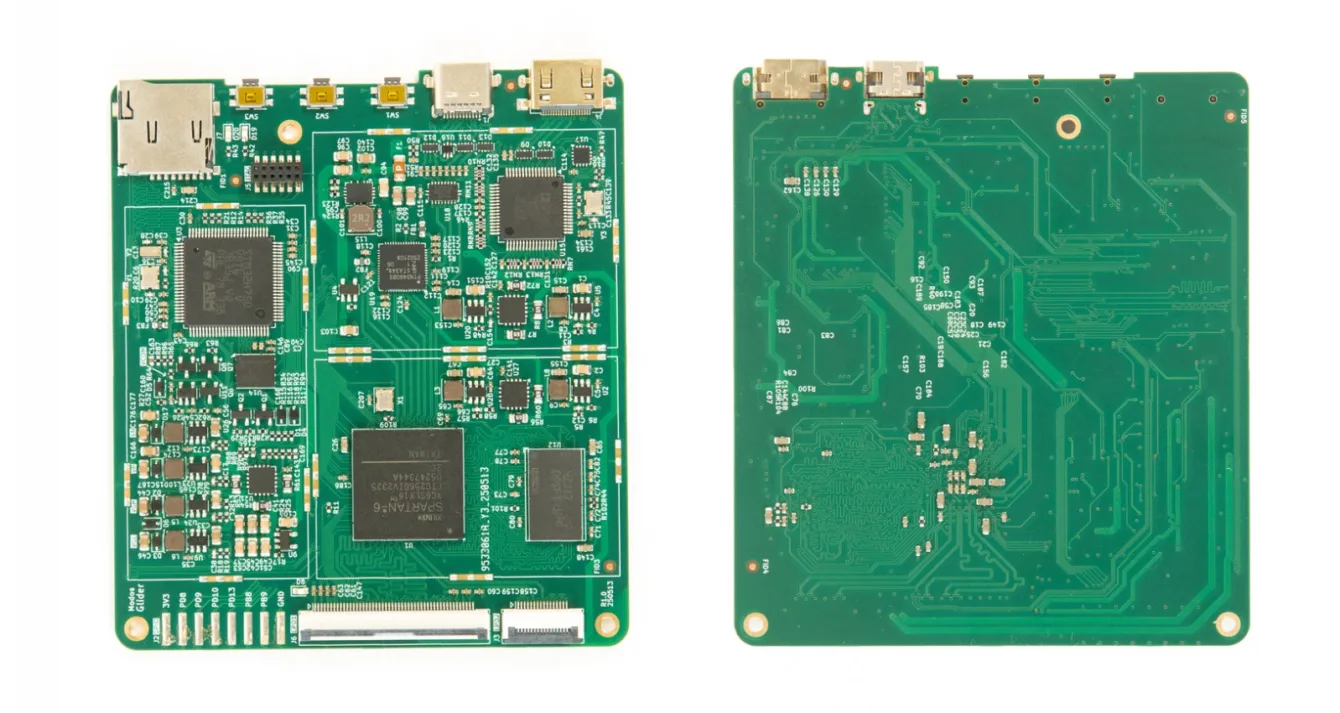
Caster drives the panel differently from conventional controllers. It splits the screen into independent regions instead of refreshing the whole area at once. Every pixel is also managed individually, so new data doesn’t have to wait for the previous transition to finish.
An extra trick helps: if a pixel is already updating and fresh data arrives, the old transition is aborted and the pixel jumps straight to the new target. That’s what enables smooth text scrolling.
The controller itself adds less than 20 µs of latency.
A quick note on the specs. The project page lists both 75 Hz for certain kits and “up to 60 updates per second.” Real-world numbers depend on the panel and settings.
Fast and rough, then slow and clean
Modos offers several modes; the most interesting is Hybrid Greyscale Mode.
The screen first draws a quick black-and-white approximation so you see something immediately. Only afterward does it add sixteen gray levels. Response feels instant and the whole display doesn’t flash.
A C API lets you switch modes or refresh only part of the screen on the fly.
E-paper can only show a limited number of gray levels. To keep photos from looking like posters the controller uses dithering – simulating shades with dot density, the same trick newspapers use. Caster does this in hardware with no extra delay, according to the team.
What’s on the driver board
- Xilinx Spartan-6 LX16 FPGA running Caster
- DDR3-800 memory for the frame buffer
- USB-C video input (DisplayPort Alt Mode)
- microHDMI video input
- E-paper power supply: ±15 V at up to 1 A peak for large panels
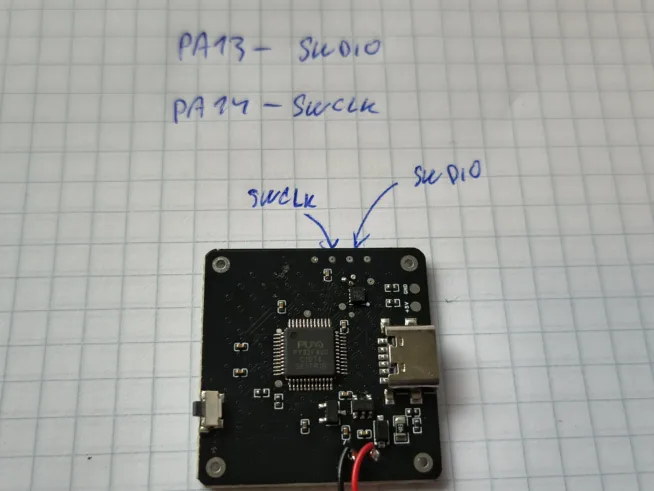
- STM32H750 MCU for USB communication, firmware updates, and standalone apps
The board is rated for 133 million pixels per second with dithering enabled and 200 million without.
Adapters and second life for old panels
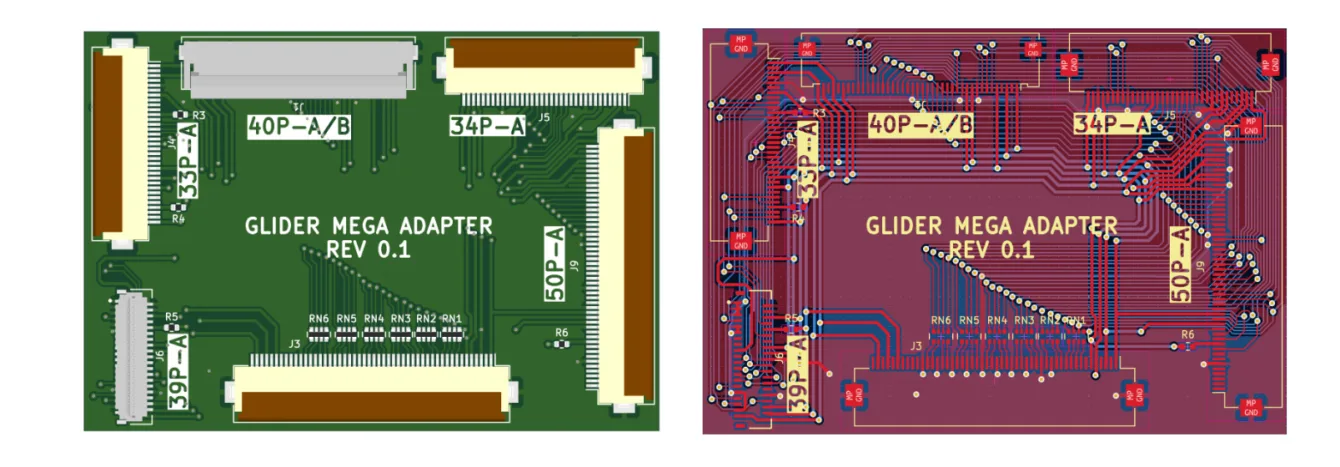
If you have a broken reader with a working panel, the Glider Mega Adapter set is the most useful part. It’s included with every kit and covers 4.3″ to 13.3″ panels, both monochrome and color.
Supported connectors and panel families:
- 39-pin, 0.3 mm pitch: selected 4.3″, 5″, and 13.3″ panels (ED043WC1, ED043WC3, ED050SU3, ES133UTx, ED133UTx, EC133UJ1)
- 33-pin, 0.5 mm pitch: most 9.7″ panels (ED097OCx, ED097ODx, ED097TCx)
- 0.5 mm pitch, 7.8″–10.3″: ED078KCx, ED078KHx, EC078KHx, ED080TC1, EC080SC2, ED100UC1, ES103TCx, ED103TCx
- 34-pin, 0.5 mm pitch: most 6.0″ panels (ED060SCF, ED060SCP, ED060XC and ED060KC series, etc.)
- 50-pin, 0.5 mm pitch: most 11.3″ panels (ED113TCx)
Pitch is the contact spacing; match it to pick the right adapter.
The full list of verified panels lives on GitHub in the Glider repo, along with 3D-printable enclosure files.
Comparison with commercial e-ink monitors
| Modos 13″ Dev Kit | Dasung Paperlike HD-FT | Boox Mira 13,3″ | Waveshare EINK DISP 133 | |
|---|---|---|---|---|
| Panel | Carta 1000 (ED133UT3) | Carta 1000 (ES133TT3) | Carta 1200 (ES133TT5) | Carta 1000 (ED133UT2) |
| Resolution | 1600 × 1200 | 2200 × 1650 | 2200 × 1650 | 1600 × 1200 |
| Updates per second | 75 | 40 | ≈20 | ≈15 |
| Connection | HDMI + USB-C | HDMI | HDMI + USB-C | HDMI |
| Touch layer | no | yes | no | no |
| Front light | no | yes | yes | no |
| Open-source design | yes | no | no | no |
| Custom modes | yes | no | no | no |
| Price | 599 USD | 798 USD | 800 USD | 679 USD |
Modos trades some resolution, touch, and front light for speed, openness, and a lower price.
Comparison with other dev kits
| Modos 6″ Dev Kit | Waveshare e-paper HAT | Inkplate 6 MOTION | EPDiy | |
|---|---|---|---|---|
| Driver | FPGA | none | ESP32 | ESP32 |
| Diagonal | 6.0″ | 6.0″ | 6.0″ | 9.7″ |
| Resolution | 1448 × 1072 | 1448 × 1072 | 1024 × 758 | 1200 × 825 |
| Updates per second | 75 | <2 | 11 | not stated |
| Connection | HDMI, USB-C | SPI, GPIO | USB-C, GPIO | GPIO |
| Programming | Rust, Python, C | Python, C, C++ | MicroPython, C, C++ | MicroPython, C, C++ |
| Power draw | high | low | low | low |
| Price | 199 USD | 113 USD | 195 USD | not stated |
The difference in approach is fundamental. Inkplate and EPDiy are built around ESP32 and suit battery-powered projects that update occasionally. Modos is a monitor; it takes a live video signal and power consumption follows.
Price, availability, and funding
The Crowd Supply campaign closed in September 2025. It raised $197 588 against a $110 000 goal (179 %). 440 backers contributed.
- 6″ Modos Paper Dev Kit: $199, preorder only, shipping from September 2026
- 13″ Modos Paper Dev Kit: $599, in stock
- International shipping: $18
When importing, expect VAT and possible duties on top. Real cost for the 13″ kit will be noticeably higher than the ~$570 base; the 6″ kit starts at roughly ~$190.
Development of the Caster controller was partly funded by the NGI0 Entrust fund of the NLnet foundation with support from the European Commission.
Who is this for?
Modos is not a finished monitor; it’s a kit.
If you want a second screen for writing that won’t burn your eyes at night and you don’t mind printing an enclosure and tweaking settings, you’ll get the fastest publicly available e-paper around.
The second group is people with drawers full of salvaged reader panels. The driver board plus the adapter set turns them into working monitors without hunting for undocumented datasheets.
If you want touch, front light, higher resolution, and zero assembly, Dasung or Boox are still the easier (and pricier) route.