Finding one solid IoT tutorial is easy. Finding a hundred consistently documented projects in one place, free, with working code – that’s rare. That’s exactly what I stumbled across on GitHub. It’s the kind of repo that makes you think “damn, what am I going to build today.”
The repository 100 Days 100 IoT Projects by Kritish Mohapatra is a collection of ready-made IoT projects built on ESP32, ESP8266 and Raspberry Pi Pico, mostly coded in MicroPython. Every project comes with its own code, wiring diagram and description.
What the repo actually contains
The author set himself a challenge: 100 days, 100 IoT projects. Each “day” is its own folder with a README, source code and wiring notes. Projects range from absolute basics (blinking an LED based on light level) to more advanced stuff like OTA updates from GitHub or cloud dashboards.
Hardware-wise it rests on three pillars you already know:
- ESP32 and its variants (including the XIAO ESP32-S3) – the go-to board for most Wi-Fi + Bluetooth projects
- ESP8266 (NodeMCU) – cheap board for simple Wi-Fi tasks without Bluetooth
- Raspberry Pi Pico / Pico W / Pico 2 W – when you want RP2040 or RP2350
You get a decent spread of sensors and modules: DHT11, PIR, ultrasonic HC-SR04, MQ-series gas sensors, RTC DS3231, OLED, LCD, relays, servos, RFID. On the software side you’ll touch ADC, PWM, GPIO, web servers, WebSockets, Bluetooth, ESP-NOW and cloud hooks (Blynk, ThingSpeak, ThingsBoard).
Worth noting: both the Adafruit newsletter and Hackster.io have already picked it up.
By the way, if you like MicroPython (or are about to), we’ve already covered a similar collection of Pico examples. Check out this MicroPython overview of RP2040 projects here.
Who it’s for
If you’re just starting with ESP32 and MicroPython, you now have a hundred ready-made starting points. Instead of hunting through ten different tutorials in ten different styles, you get uniform examples in one place. For more experienced builders it’s a grab-bag of ready blocks – pull the ESP-NOW logic from one project, the web server from another, and glue your own device together.
Important: most of the code is MicroPython, not Arduino C++. If you’re used to the Arduino IDE it will feel different for a while, but the wiring principles stay the same. Before you dive in, it helps to have the board ready – I wrote up how to flash MicroPython on an ESP32 and run your first program separately.
Now for the interesting part. I picked the projects people actually search for and that you can finish in a weekend.
Smart plant watering
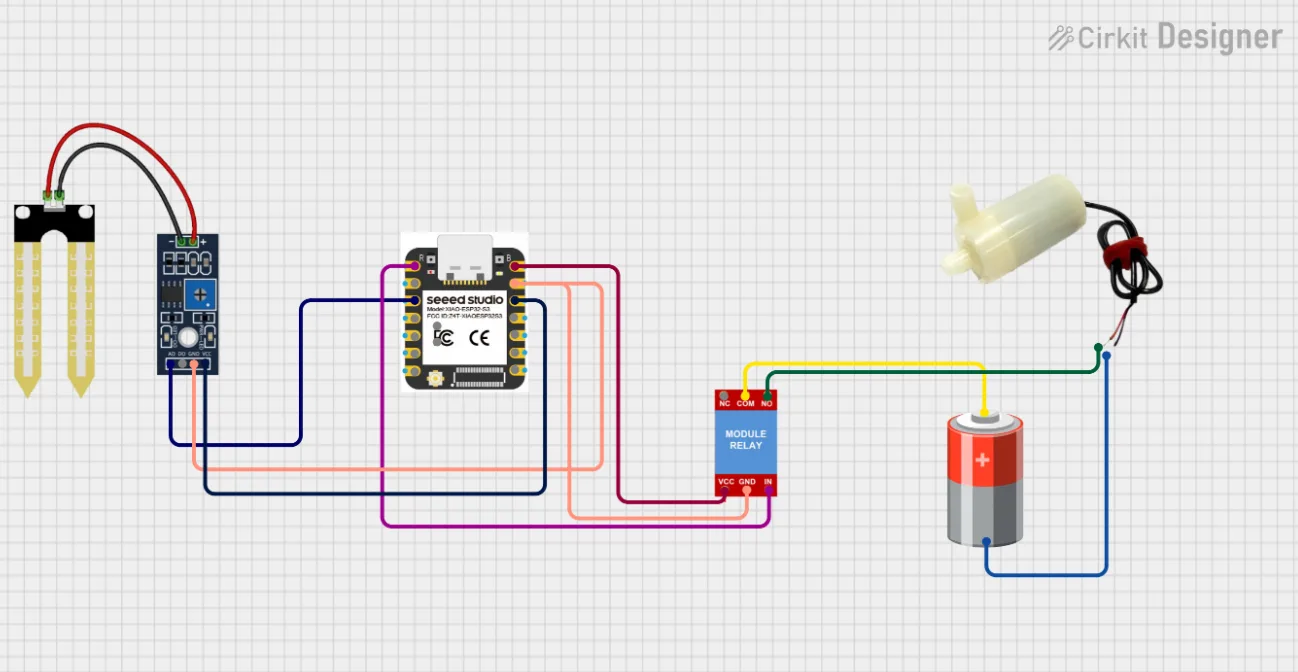
A popular project, especially before holidays 🙂 or for anyone who tends to forget watering. The system measures soil moisture and switches a water pump accordingly. You can also control it manually from the Blynk phone app.
The principle is simple. A capacitive moisture sensor returns an analog value that the ESP32 reads via ADC. Drop below the threshold, the relay clicks on, the pump waters. Done.
My take: this is the ideal first “actually useful” project. You’ll learn analog sensor reading, relay switching and cloud integration – three skills you’ll reuse everywhere. Plus your basil won’t die.
One detail most tutorials gloss over: cheap resistive moisture sensors corrode over time. If you want it to run for months, grab the capacitive version.
RFID access system
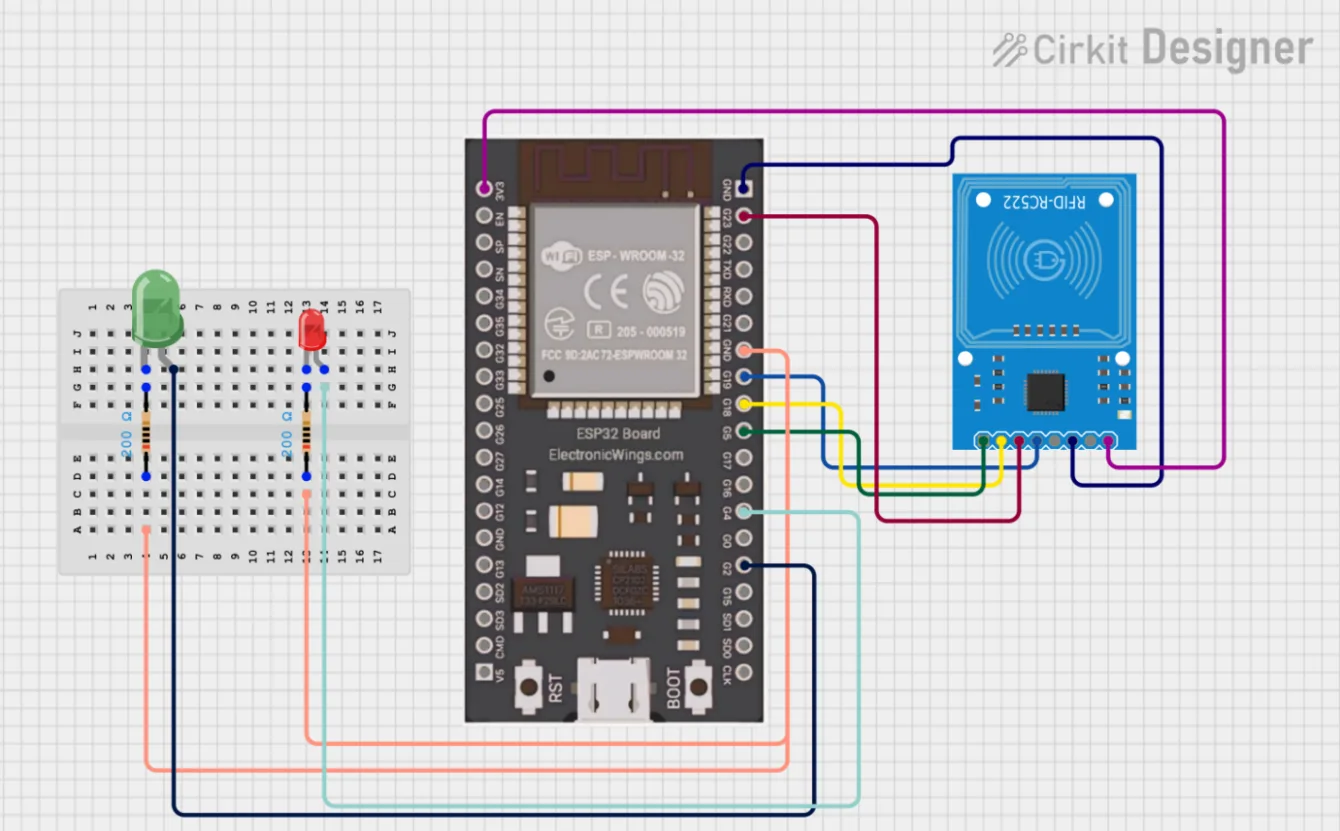
The RC522 RFID reader is one of the most rewarding modules out there. It costs next to nothing and opens a lot of possibilities. The repo builds several projects around it: a basic access system, relay switching on card presentation, and an attendance logger.
How it works: present a card or tag, the reader grabs its UID and compares it against an allow-list. Match? The ESP triggers a relay (electric door lock, for example) or logs the entry.
From this base you can build a smart workshop lock, track who came when, or unlock a cabinet. Communication runs over SPI, so you’ll also get hands-on with that interface.
Small real-world warning: card UIDs can be cloned. Fine for the workshop; I wouldn’t rely on it as the only lock on the front door.
Gas leak detection (MQ sensors)
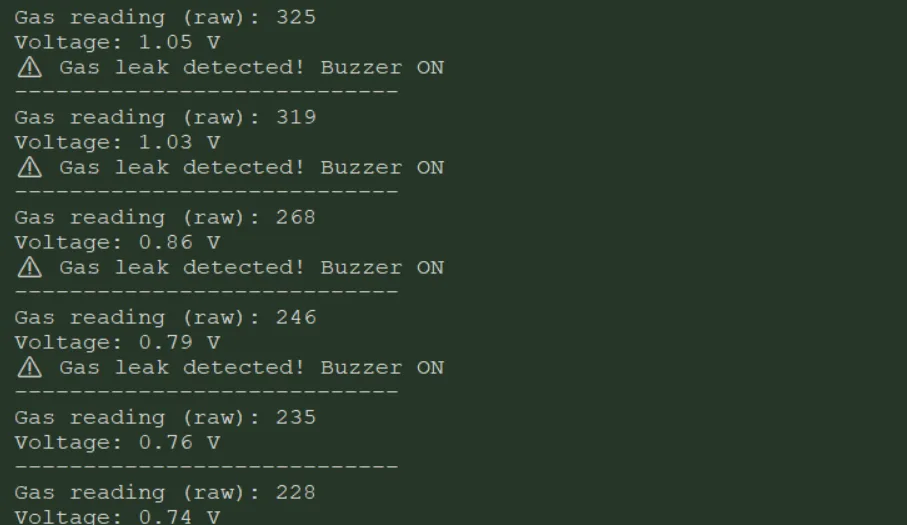
A safety project that makes sense to have at home. MQ-series gas sensors detect various gases – MQ-4 for methane (natural gas), MQ-7 for carbon monoxide, MQ-135 for general air quality. Cross the threshold and a buzzer plus warning triggers.
The repo also includes a more advanced version: a full monitoring system that sends data to a Flask backend, does simple anomaly detection with a moving average, and displays everything on a web dashboard.
You’ll learn analog sensor work, calibration and threshold handling. The end result is something that can actually prevent a problem.
Important note: MQ sensors need warm-up time (tens of seconds to minutes after power-up) and their accuracy is only indicative. Great as a supplement to a certified detector; not a replacement.
Wi-Fi controlled robotic car
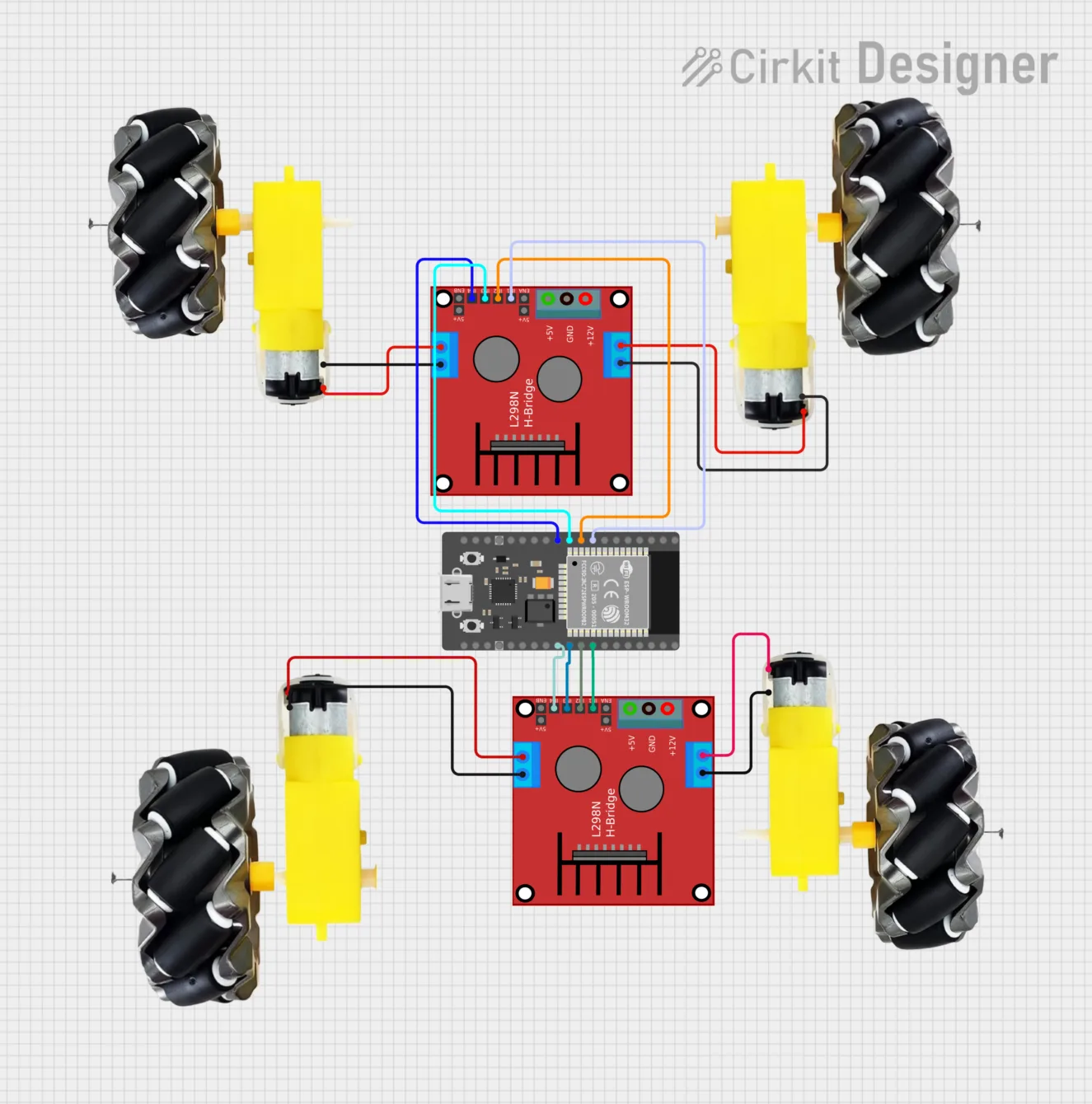
A project that’s fun at any age. A four-wheel car controlled from a browser over Wi-Fi. The ESP32 hosts a web page with direction buttons and drives the motors through an L298N driver.
The neat part: no app required. The ESP32 spins up its own web server; you control it from phone or computer straight in the browser. Speed is handled via PWM.
It ties together several skills – motor control, PWM, web server on ESP32 and handling HTTP requests. Plus you get a tangible, moving result. Perfect when you want to get someone excited about electronics.
Home automation over ESP-NOW
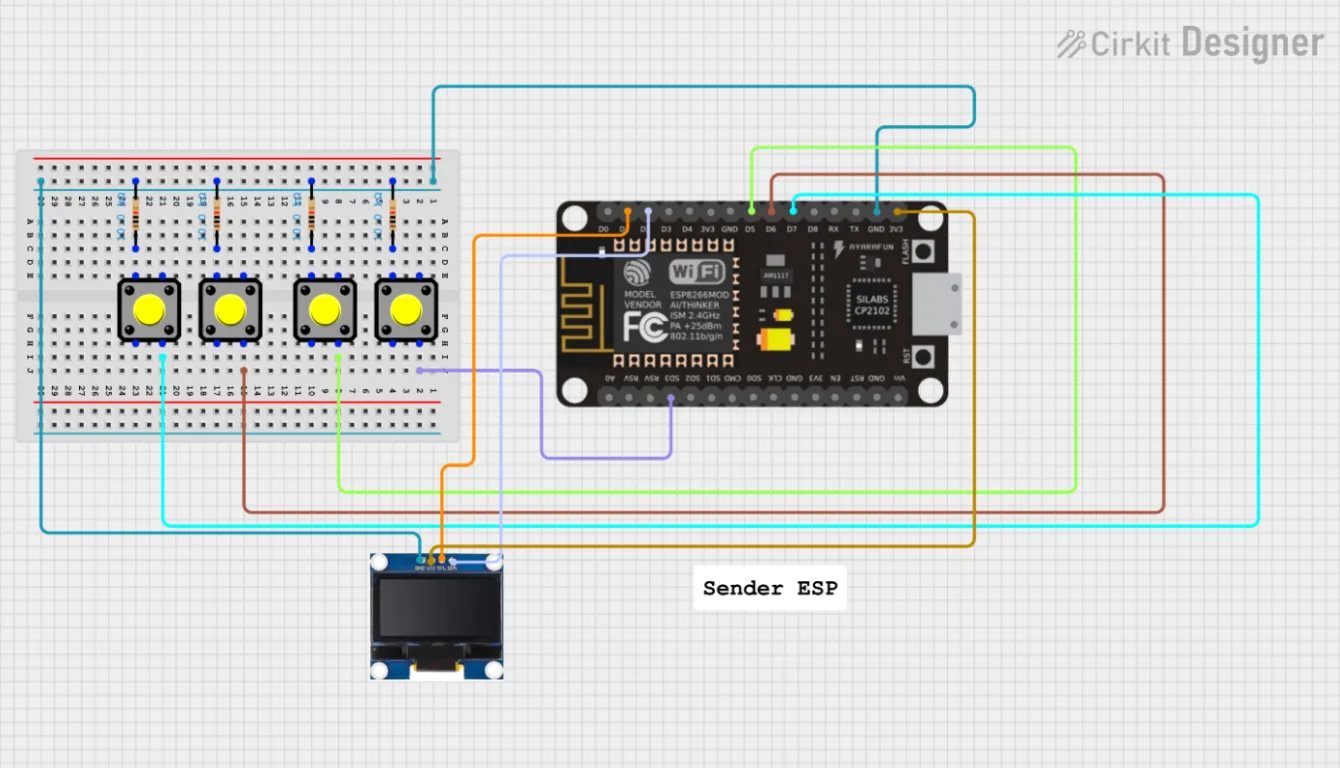
This is the technically most interesting group. ESP-NOW is Espressif’s protocol for direct board-to-board communication without a router and without a Wi-Fi network. Latency is minimal and range is surprisingly decent. We covered exactly how it works and where to use it in a separate ESP-NOW article.
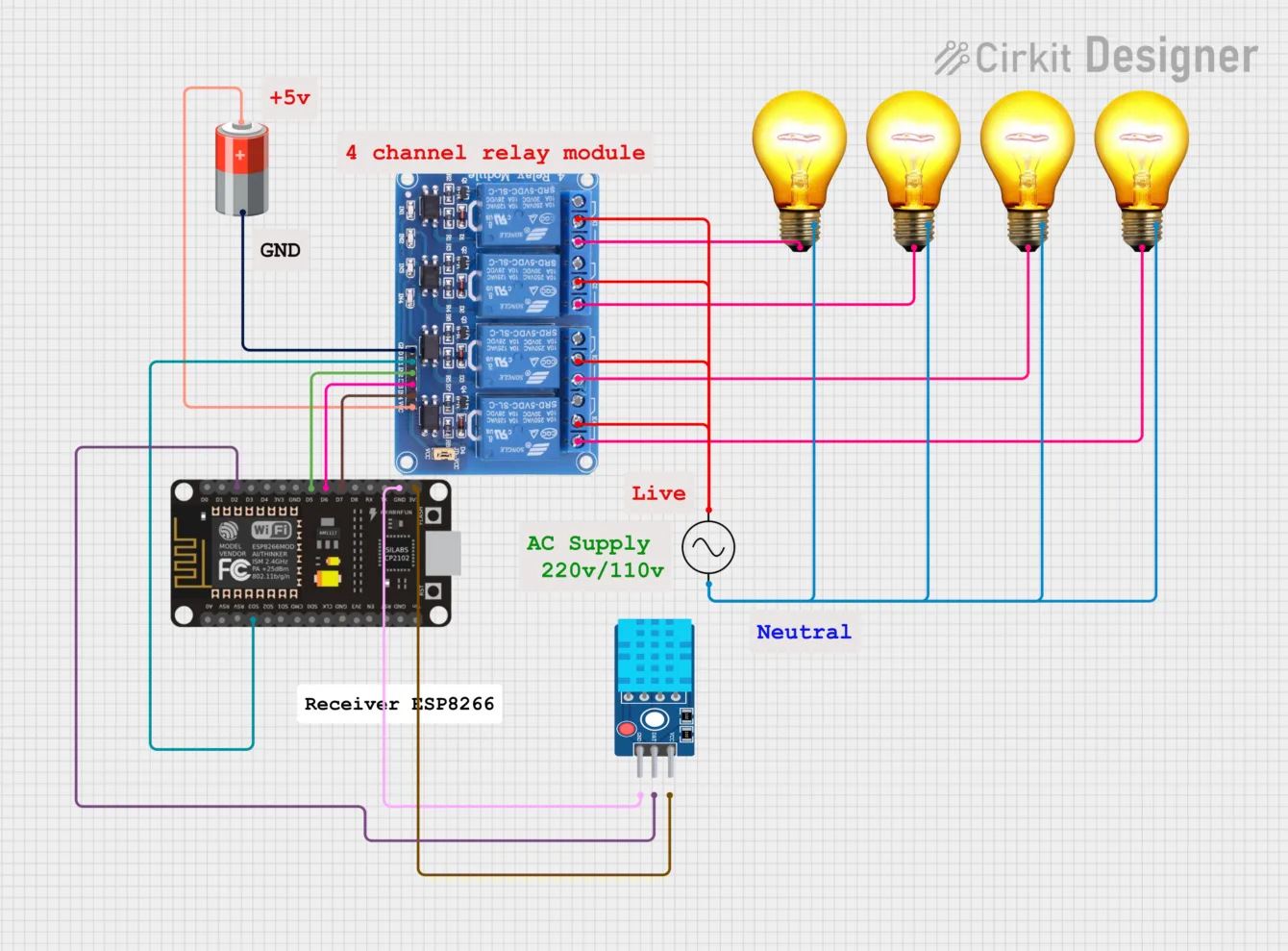
The repo builds several things on it: controlling LEDs from one board to another, a four-channel wireless relay, and especially a bidirectional setup where a control panel switches relays on the receiver while getting temperature and humidity data back for display on an OLED.
ESP-NOW is still underrated by some. For home automation where you don’t want to hammer Wi-Fi or need instant response (remotes, sensor nodes), it’s often the better choice than classic Wi-Fi. And here you get both ends of the link ready to go.
Pair it with Home Assistant through a gateway and you have the foundation of your own wireless sensor network around the house.
OLED weather station with animated eyes
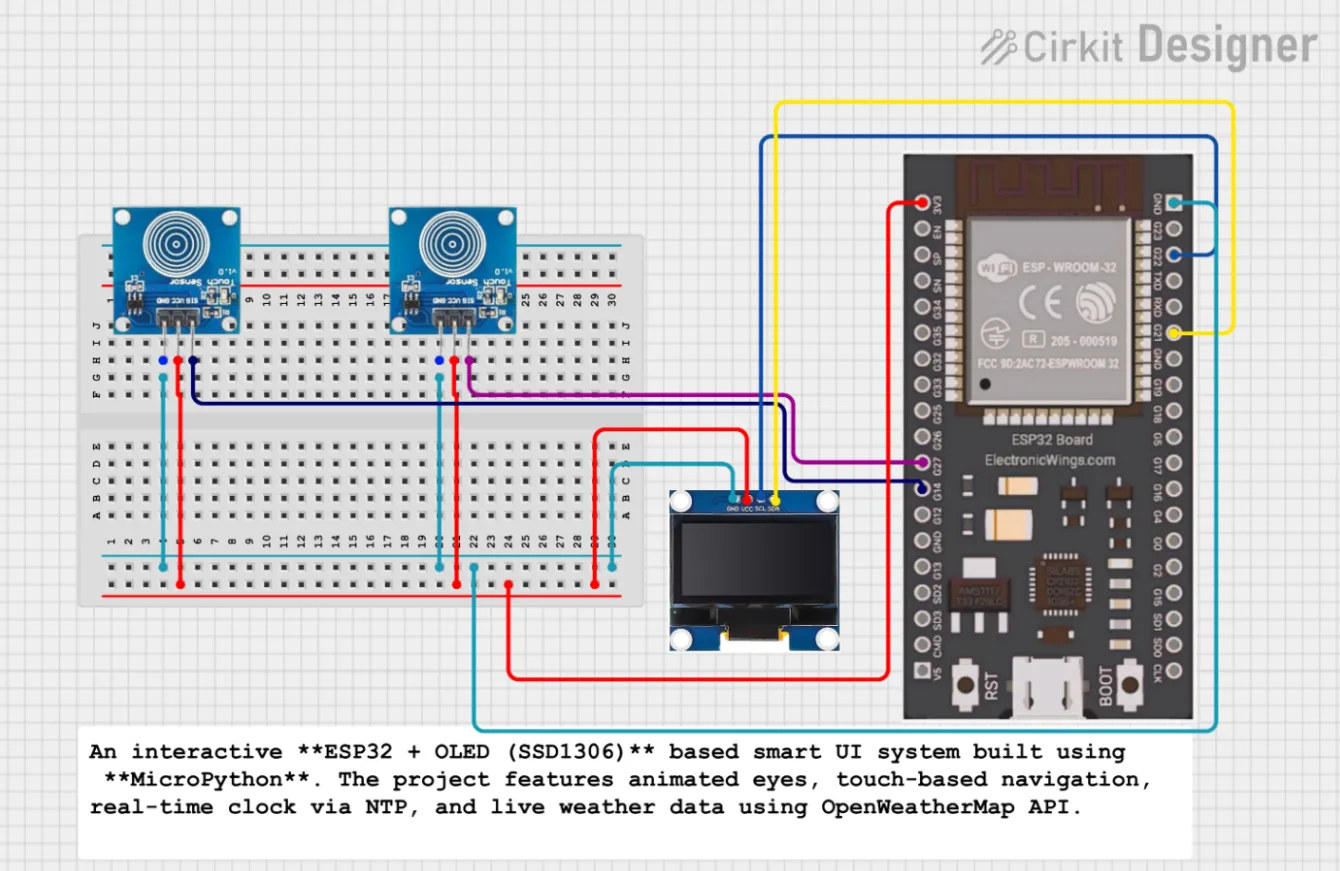
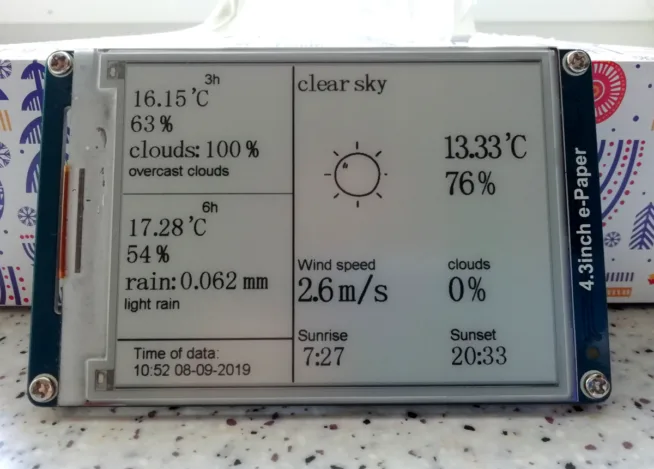
A visually rewarding project from the collection. ESP32 with OLED showing animated eyes, NTP-synced time, date and live weather pulled from the OpenWeatherMap API. Menu is touch-controlled.
You’ll learn drawing on an SSD1306 OLED, syncing time over the internet (NTP) and fetching + parsing JSON from a public API. A trio of skills you’ll reuse in countless other projects – from smart clocks to info panels.
Bonus: the animated eyes turn an ordinary weather station into something people actually want to look at. Small detail, but it works. If weather stations caught your interest, I’ve got my own Wi-Fi weather station write-up.
How to get started
The steps are pretty obvious 🙂
- Open the repository on GitHub and scan the project table in the README – it has a short description of each one.
- Pick a project that matches the board you already have. Most run on ESP32, but plenty also work on ESP8266 or Pico. If you’re still choosing, have a look at the big ESP32 chip comparison.
- Flash MicroPython firmware onto the board (with Thonny it’s a couple of clicks).
- Copy the code from the relevant folder, wire it up per the diagram and upload.
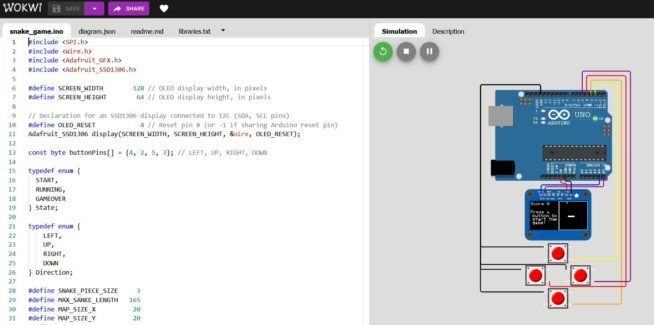
If you’re new to MicroPython, I recommend Thonny as the IDE. It’s simple and handles firmware and code uploads without drama. For testing without hardware, the Wokwi simulator supports both ESP32 and MicroPython.