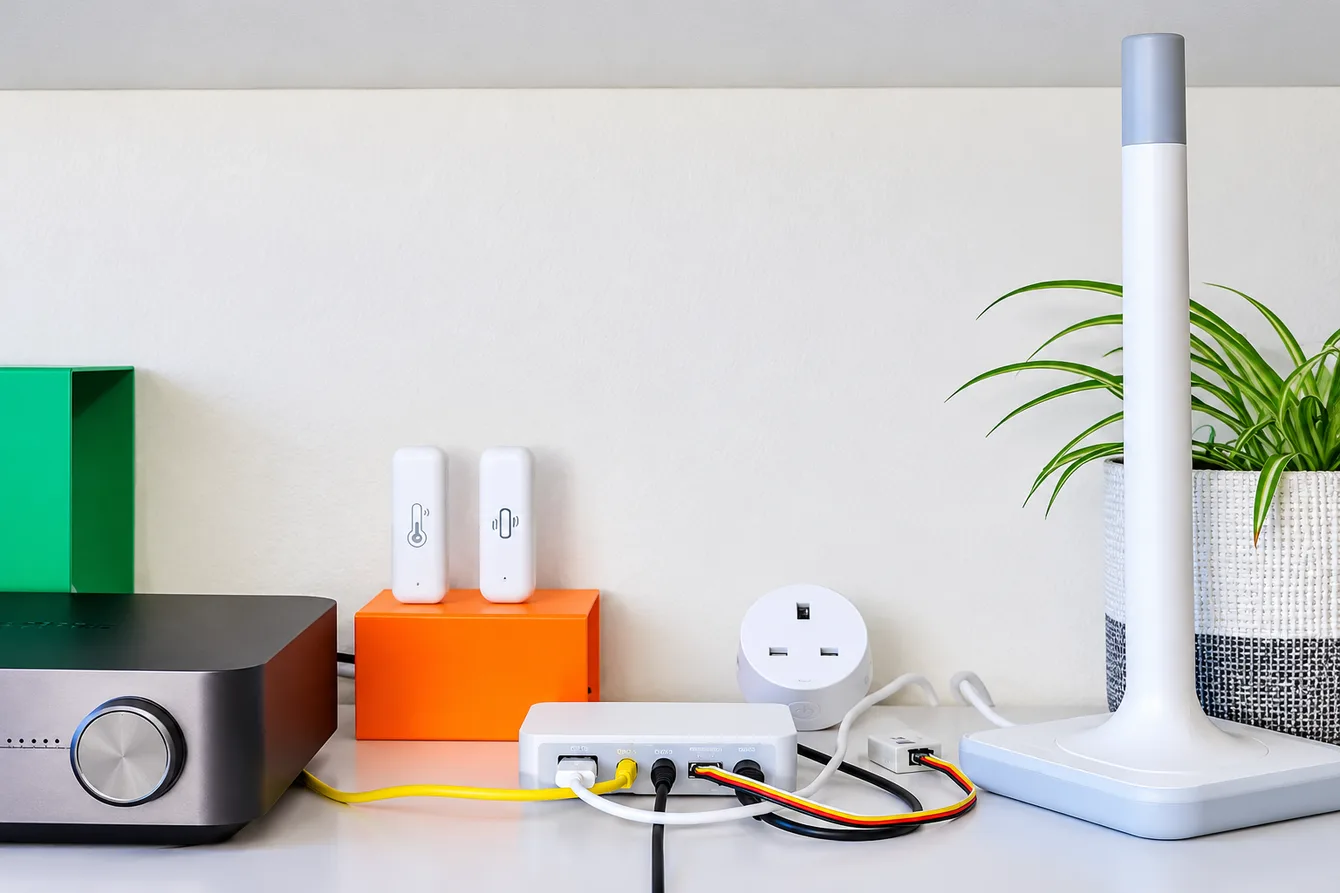
Nabu Casa is continuing to expand its Connect lineup. After the Zigbee/Thread adapter Connect ZBT-2 and the Z-Wave adapter Connect ZWA-2, along comes the Connect AUX-2. It doesn’t target a new wireless protocol, but the hardware you already have at home: an old stereo system, AV receiver, UPS, heat pump, or solar inverter.
The manufacturer sums it up with the slogan “Old speakers. New tricks.” And from a hardware perspective, this is a very interesting combination of interfaces in one small box.
What’s inside
At its heart is an ESP32-S3, the same chip Nabu Casa used in the ZWA-2. Audio is handled by a Texas Instruments PCM5122 DAC with a signal-to-noise ratio of 112 dB. It provides 24-bit / 48 kHz stereo output in both analog and digital formats.
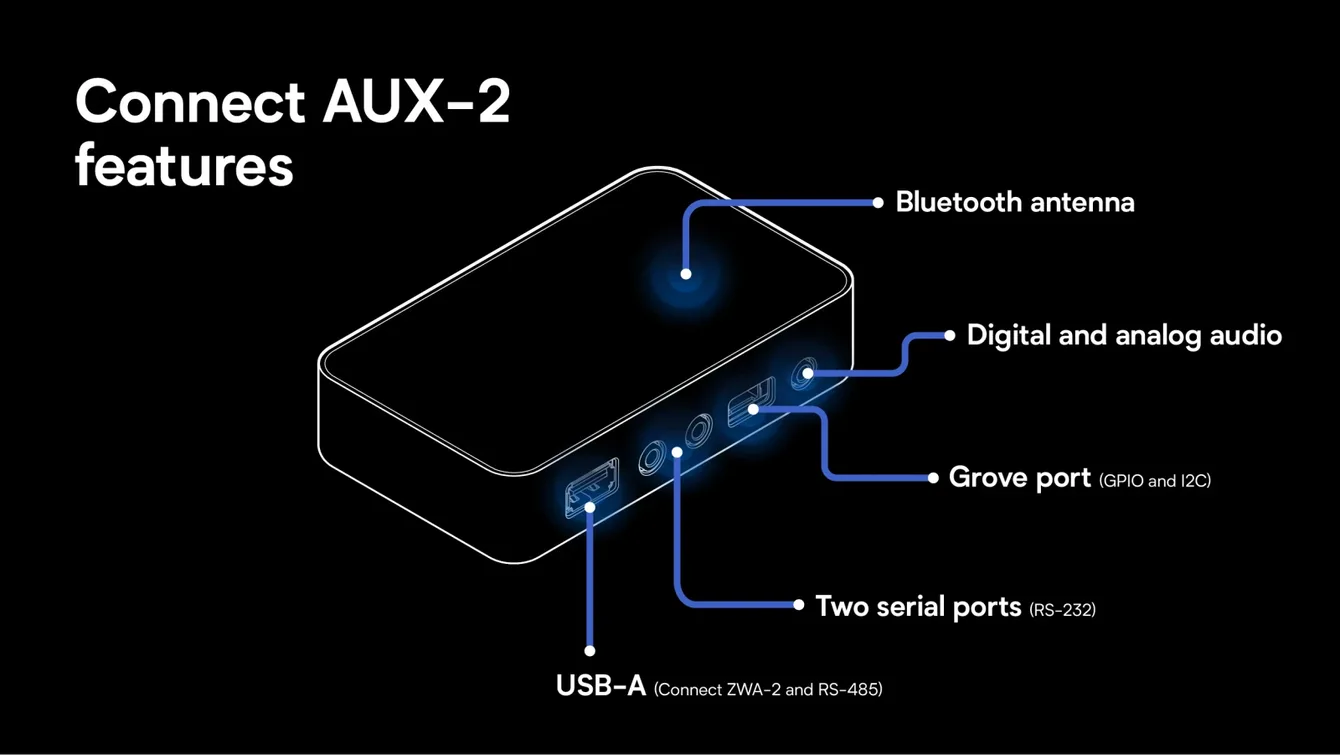
- Audio output: Combined 3.5 mm jack and optical S/PDIF (mini Toslink) connector. Only one output is active at a time. There’s no audio input.
- Supported formats: FLAC, MP3, WAV
- Serial ports: 2× RS-232 over 3.5 mm jacks, each with a TX/RX crossover switch
- USB-A: For the Connect ZWA-2 or a USB RS-485 (Modbus) adapter
- Wireless: 2.4 GHz Wi-Fi (802.11 b/g/n) and Bluetooth 5 LE, with a dedicated antenna
- Wired: Ethernet with PoE (802.3af)
- Expansion: Grove connector for sensors and I/O modules
- Power: USB-C 5 V / 2 A minimum, or PoE (use only one power source at a time)
Multiroom audio from an old stereo system
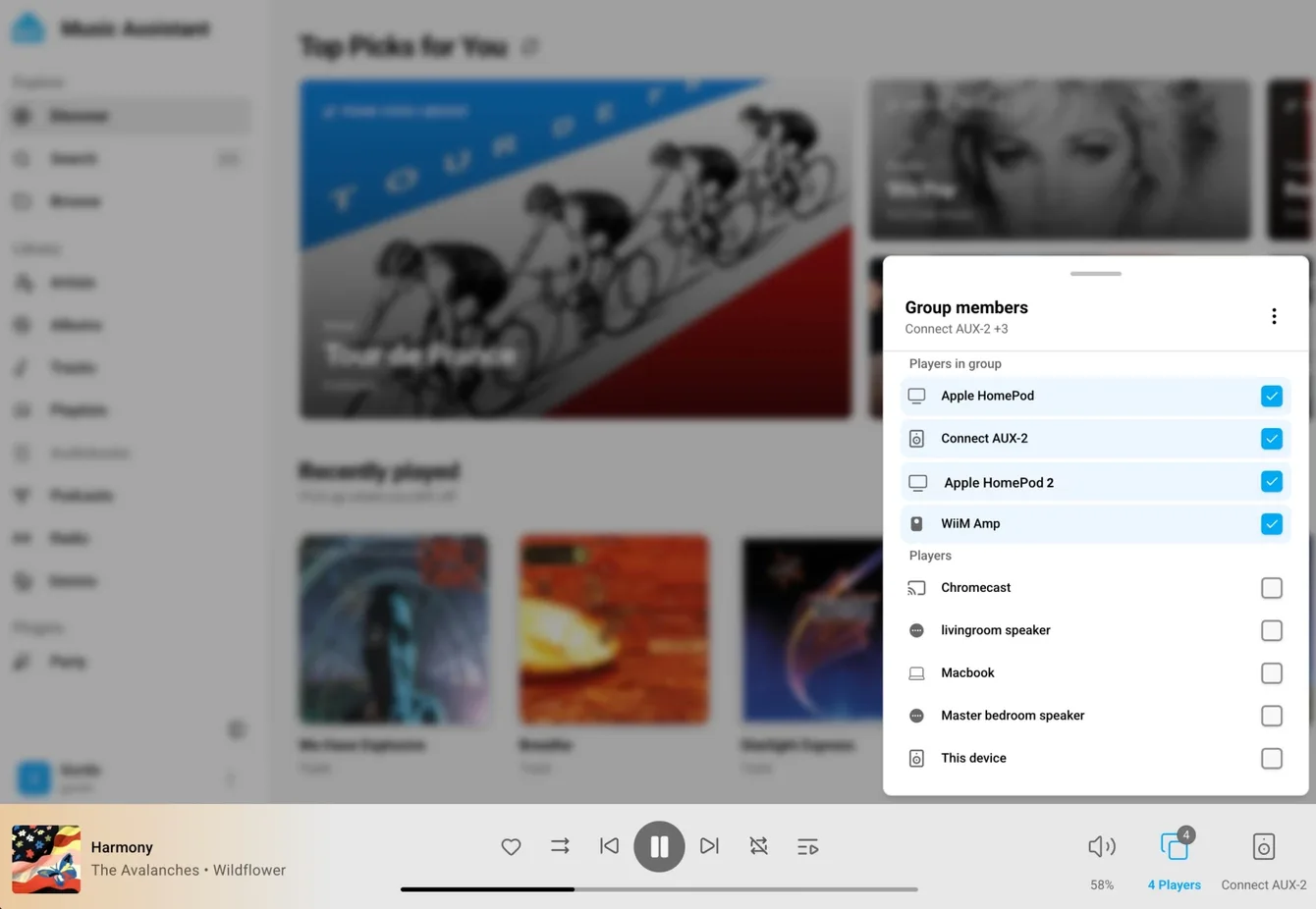
The main use case is to connect the AUX-2 to the AUX input on a stereo system, receiver, or powered speakers and turn them into a player in Home Assistant. Music Assistant automatically discovers it as a Sendspin player. Sendspin is a protocol for synchronized playback across multiple rooms. You can then group your old stereo with smart speakers, and according to the manufacturer, with AirPlay and some Sonos speakers too.
The AUX-2 doesn’t have an amplifier, so you can’t connect passive speakers directly. And although it includes Bluetooth, it doesn’t support Bluetooth audio. Bluetooth is only for smart home devices.
RS-232: control receivers, TVs, and UPS units
For me, the two RS-232 ports are the most interesting feature. Plenty of AV receivers, projectors, older TVs, UPS units, and air conditioning systems have a serial control port that usually goes unused at home. With the AUX-2, you can turn a receiver on and off, adjust the volume, or read the status of a UPS.
The ports use 3.5 mm jacks, so you’ll need an adapter to DB9 or you can make your own cable. The TX/RX switch on each port solves the perennial question of whether you need a null modem cable. Cables aren’t included.
One important limitation: serial control only works with devices that have a Home Assistant integration. The AUX-2 won’t make just any RS-232 device smart; it needs software support for that device.
Which AV receivers are supported?
- Denon: Home Assistant has an official Denon RS-232 integration for receivers with serial control, offering local control and immediate status updates.
- Marantz: The official Marantz RS-232 integration supports receivers using Marantz’s 2007 protocol. The SR7002 and SR6004 have been tested.
- Yamaha: The unofficial Yamaha YNCA integration from HACS supports the YNCA protocol over serial and network connections. Yamaha doesn’t specify in its manuals which models support YNCA, so the list of working receivers is based on user reports.
- Onkyo and Integra: These brands use the ISCP serial protocol, but Home Assistant’s Onkyo integration only supports the network-based eISCP variant. So you can’t control them over RS-232 for now.
- Anthem: Older receivers, such as the D2v series, use a different serial protocol and aren’t supported by Home Assistant.
The Denon and Marantz integration documentation explicitly describes connecting through the ESPHome Serial Proxy, which is exactly what the AUX-2 does.
Modbus RS-485 for inverters and heat pumps
With a separately purchased USB RS-485 adapter connected to the USB-A port, the AUX-2 can also handle Modbus. You can connect solar inverters, battery storage systems, HVAC units, or UPS units. If you have solar panels and an inverter with Modbus RTU, you can bring it into Home Assistant over the network without putting a Raspberry Pi next to your electrical panel.
Z-Wave wherever you need it
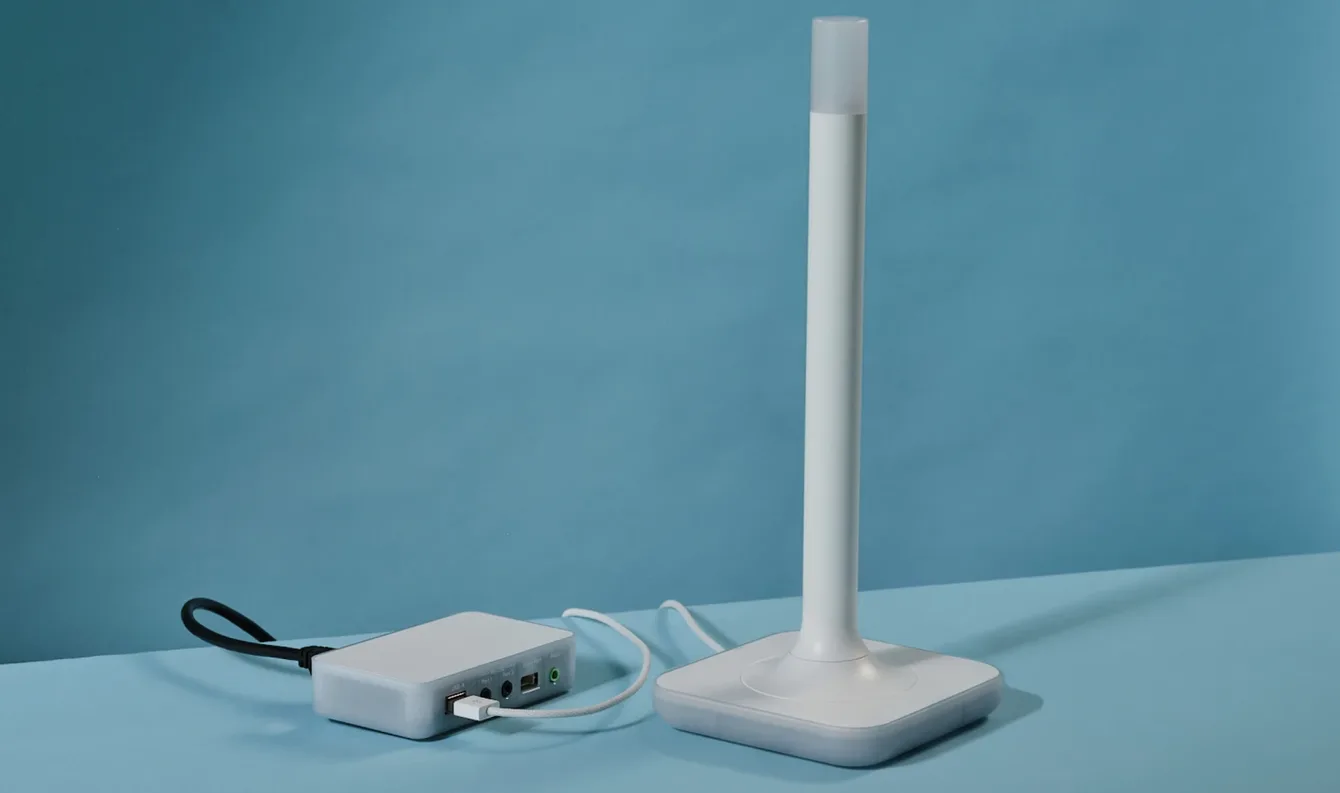
You can plug a Connect ZWA-2 into the same USB-A port instead of an RS-485 adapter. The AUX-2 then connects the adapter to Home Assistant over Wi-Fi or Ethernet, so you can place it where the signal is best, rather than where the Home Assistant server happens to be.
Zigbee via the Connect ZBT-2 is also possible, but only with ZHA, starting with Home Assistant 2026.11, and the manufacturer says it hasn’t been tested extensively yet. Thread isn’t planned.
Bluetooth proxy and Grove
Bluetooth 5 LE with a dedicated antenna turns the AUX-2 into a Bluetooth proxy for BLE sensors, thermometers, and other devices. The Grove connector lets you attach your own sensors or I/O modules, much like on other ESPHome devices.
ESPHome and an unlocked bootloader
The firmware is based on ESPHome, and the device shows up in Home Assistant’s ESPHome integration. The bootloader is unlocked, so you can flash your own firmware. For makers, that means an ESP32-S3 with a quality DAC, PoE, two RS-232 ports, and a Grove connector, all in a ready-made enclosure. Otherwise, you’d be assembling that combination from several modules.
The AUX-2 also has a low-power mode, which lets you manage it while the connected device is in standby.
Specifications
| SoC | ESP32-S3 |
| DAC | TI PCM5122, SNR 112 dB |
| Audio output | 3.5 mm analog / optical S/PDIF (combined), 24-bit / 48 kHz stereo |
| Audio input | No |
| Serial ports | 2× RS-232 (3.5 mm jack), TX/RX switch |
| Modbus | RS-485 via USB adapter (not included) |
| Wireless | 2.4 GHz Wi-Fi b/g/n, Bluetooth 5 LE |
| Network | Ethernet, PoE 802.3af |
| Other connectors | USB-A, USB-C, Grove |
| Power | USB-C 5 V / 2 A or PoE |
| Dimensions and weight | 106 × 63 × 25 mm, 104 g |
| Enclosure | Polycarbonate, white or translucent |
| Operating temperature | 0 to 65 °C, indoor use only |
| Software | ESPHome, Home Assistant 2026.9 and later |
| Suggested price | ~$65 |
Price and availability
The suggested price is about $65; in the US, it’s $69 before tax. In the Czech Republic, the Home Assistant Connect AUX-2 is available from Czech retailer Alza for about $75. The box contains only the device and a printed manual, so you’ll need to supply your own cables.
As with Nabu Casa’s other hardware, part of the proceeds goes to the Open Home Foundation, which supports the development of Home Assistant.
Who is the AUX-2 for?
If you have a quality stereo system or receiver and want to add it to a Music Assistant multiroom setup, the AUX-2 is the easiest way to do it. The same goes for owners of solar systems, UPS units, or heat pumps with Modbus or RS-232 who don’t want to build their own ESP32 adapter. If you build this kind of thing yourself, you’ll appreciate the unlocked bootloader and ready-made hardware with PoE.
Sources:
https://www.home-assistant.io/blog/2026/11/11/no-device-left-behind-home-assistant-connect-aux-2/
https://www.home-assistant.io/connect/aux-2/