Need to merge two PDFs, shrink a photo for email, or convert a video to a GIF? Most online tools want you to upload your file to their server, require you to register, or bombard you with ads.
Tiny Online Tools takes a different approach. Files aren’t uploaded to someone else’s server – everything runs locally in your browser. Free and no registration required.
Who’s behind it
The site was built by Canadian developer Yassine Bouanane (known on social media as @ybouane). By his account, it’s the eighth project he’s launched this year. At launch on Product Hunt, the site had over 320 tools. Today, it has more than 570 across 18 categories.
The creator also says the site doesn’t track its users.
Everyday tools
Most of you will mainly use these:
- PDF: merge multiple files into one, split, compress, convert JPG photos to PDF, remove passwords, convert PDFs to images
- Photos: resize, compress, crop, rotate, convert between JPG, PNG, and WebP
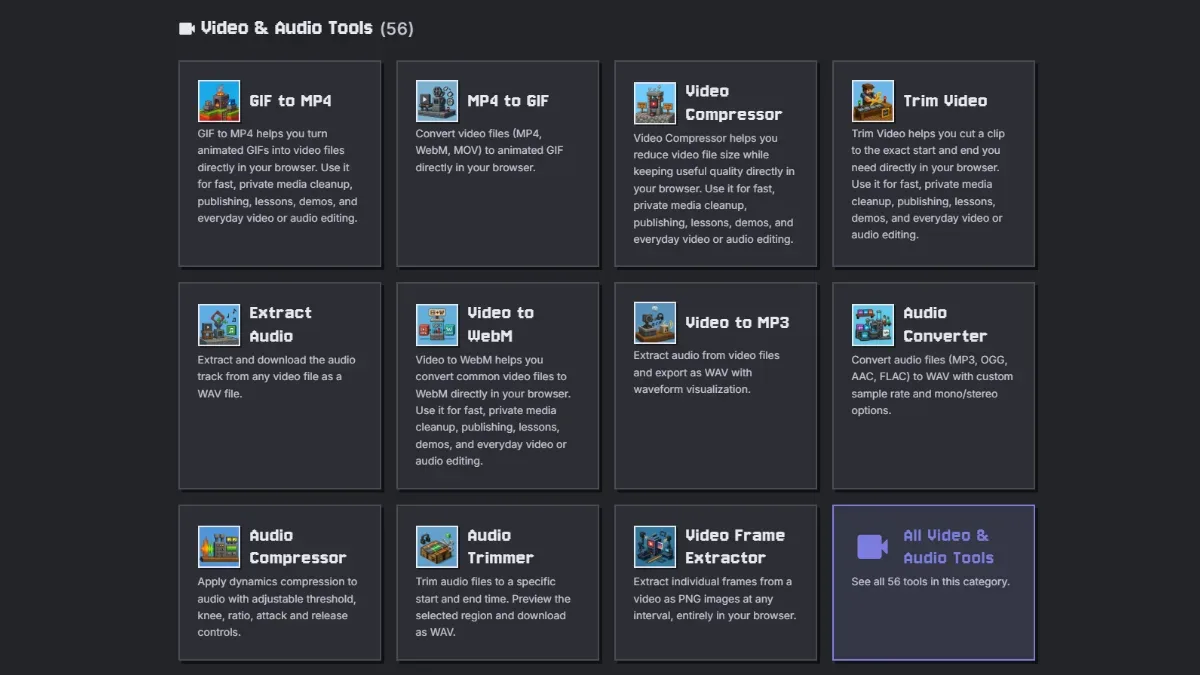
- Video and audio: compress and trim video, convert MP4 to GIF and back, extract audio from video
- Utilities: QR code generator and reader, unit converter, percentage calculator, random name picker, dice roller
- Passwords: strong password generator and password strength checker
- Text: word and character count, compare two texts, convert to uppercase or lowercase
- Email and contacts: open EML files and Outlook MSG files without an email client, view VCF contacts and ICS calendars
Local processing is especially useful for sensitive documents. You don’t want to upload a contract, bank statement, or ID scan to some unknown server.
3D models and 3D printing
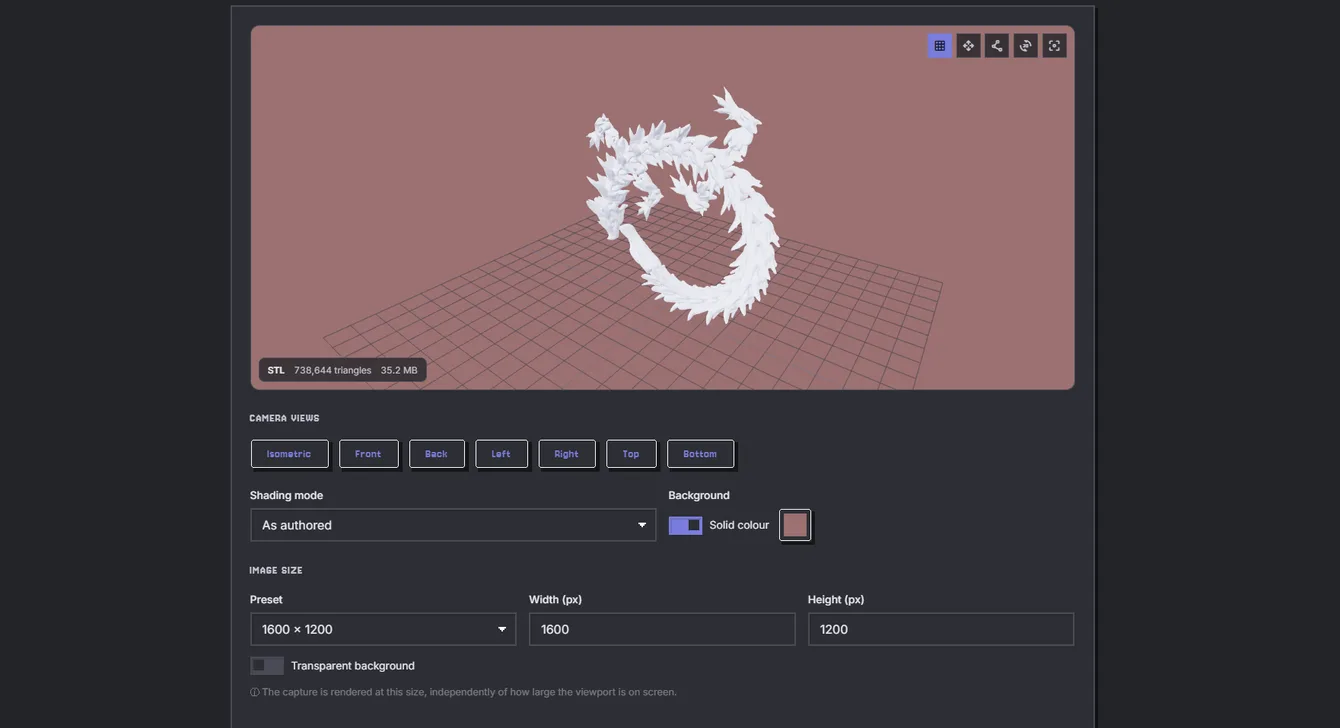
Downloaded a model from Printables or Thingiverse but don’t have anything to open it with? The 3D model viewer displays STL, OBJ, GLB, and other formats right in your browser.
iPhone owners can convert a model to USDZ and use AR Quick Look to “place” it on a table in augmented reality – before printing it.
There’s a whole section with 12 tools for makers with 3D printers. The main one is a slicer that turns STL, 3MF, or OBJ files into G-code right in your browser. It also includes:
- a layer-by-layer G-code viewer, color-coded by move type or speed
- a G-code analyzer (filament use, cost, print time, temperatures)
- a G-code editor for changing temperatures, speeds, and fan settings
- a G-code converter for Marlin, Klipper, RepRapFirmware, and more
- overhang analysis and an estimate of the material needed for supports
- automatic model placement on the build plate
- hollowing out models and adding resin drainage holes
- fixing models with the wrong scale (inches instead of millimeters)
For a quick estimate of print cost, you can also use my 3D printing cost calculator.
Electronics and CAD
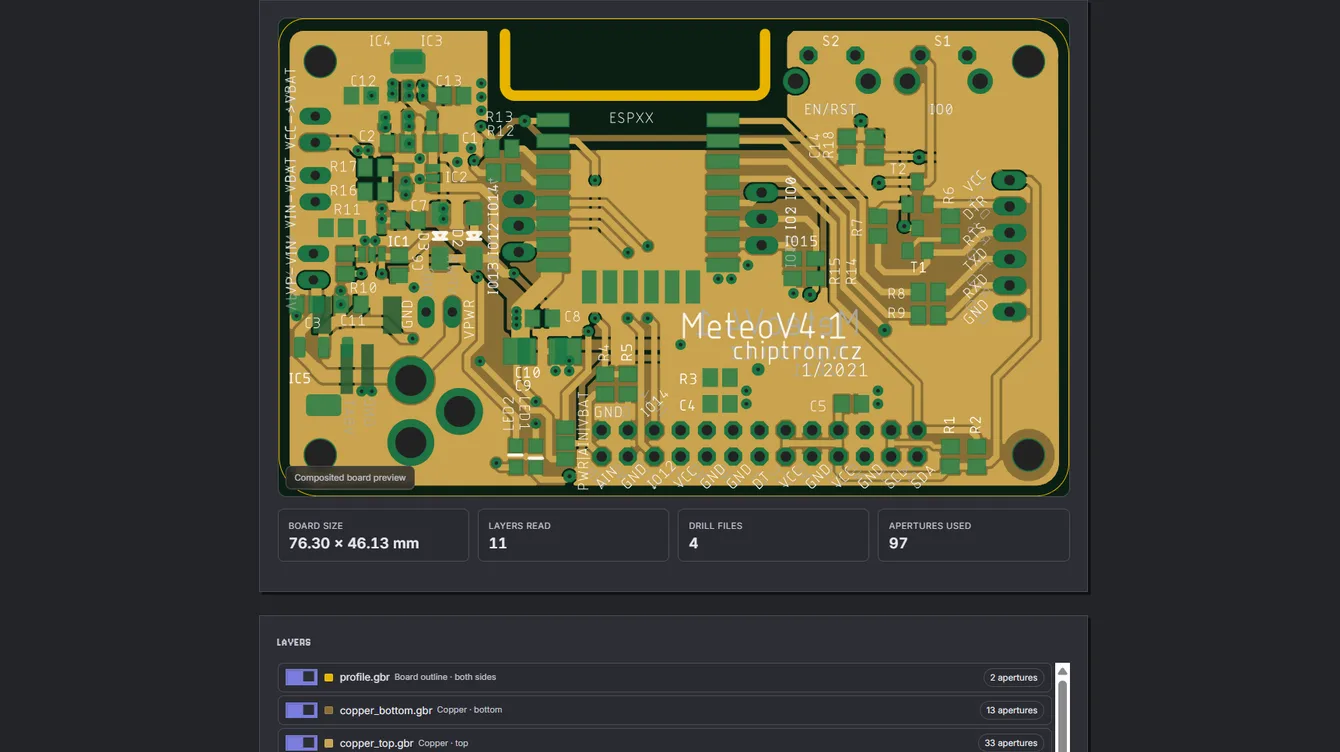
PCB designers get a Gerber viewer. It combines the manufacturing files into an image of the finished board, and you can toggle layers on and off (copper, solder mask, silkscreen, and drill). If you’re thinking, “JLCPCB can do that too” – yes, it can. But here, your data stays in your browser and isn’t uploaded to someone else’s server.
Another tool checks Gerber files before you send them off for manufacturing. It flags missing layers, an open board outline, or holes outside the board. It can convert Gerbers to SVG or PDF at actual size, and it also opens Excellon drill files and pick-and-place CSVs.
The CAD section includes a viewer for STEP, IGES, and DXF files, a tool for calculating a model’s weight based on its material, and an option to extract individual parts from a STEP assembly as STL files.
CNC, lasers, and curiosities
For CNC, there’s a 3D preview of milling G-code and an analyzer for feeds, spindle speeds, and estimated run time. The laser SVG checker flags open outlines and duplicate lines before they ruin your cut.
And then there are the curiosities: tools for embroidery machines (DST, PES), a WebAssembly decompiler, and a “10 PRINT” maze generator inspired by the Commodore 64. 🙂
My take
When you need to do something small like merge PDFs or shrink a photo, you usually end up searching for a different website every time. This one has those tools all in one place, and your files stay on your computer. I’ve bookmarked it.
With more than 570 tools, though, don’t expect every one to be polished down to the last detail.
Link: tiny-online.tools
Thanks to a community member at espide.eu for the tip.