Got a PicoPad, a Raspberry Pi Pico with a display, or any other board with a microcontroller and a few buttons? You have probably thought about building your own game for it at some point. A new project by Vladimír Smitka (MakerClassCZ) makes that easier than ever.
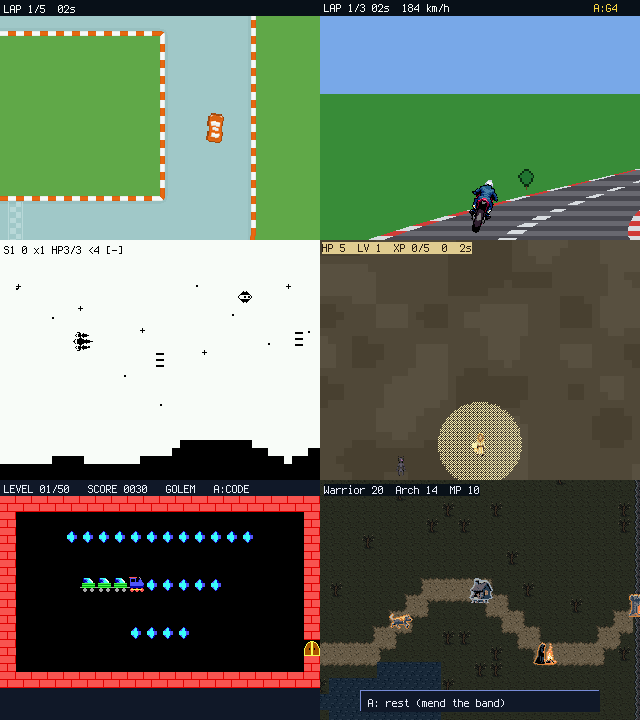
Picogame is a small 2D game engine built on top of CircuitPython. It is written for microcontrollers like the RP2040/RP2350 and various ESP32s. It was created primarily for the PicoPad console, but it runs on plenty of other boards. All you need to add is a suitable display and a few buttons.
What makes this engine interesting is the way it splits the work. At its core sits a C module compiled natively into CircuitPython, handling rendering, scene composition, collisions and other computationally demanding tasks. On top of it comes a set of Python libraries covering input including USB gamepads and keyboards, animation, dialogue, audio and synthesis, particle effects, screen shake, saving scores or collisions – exactly the parts that eat the most time when you write a game from scratch. That leaves you with the only thing that really matters: sorting out the game logic. And you do that comfortably in Python, so no repeated compiling and firmware flashing. A CircuitPython board shows up as an ordinary drive on your PC, and you simply edit code.py in any editor and see the result immediately.
TIP: You can develop and play picogame without any hardware at all. The engine comes with both a desktop and a web simulator where you can try everything out.
Why the project came about
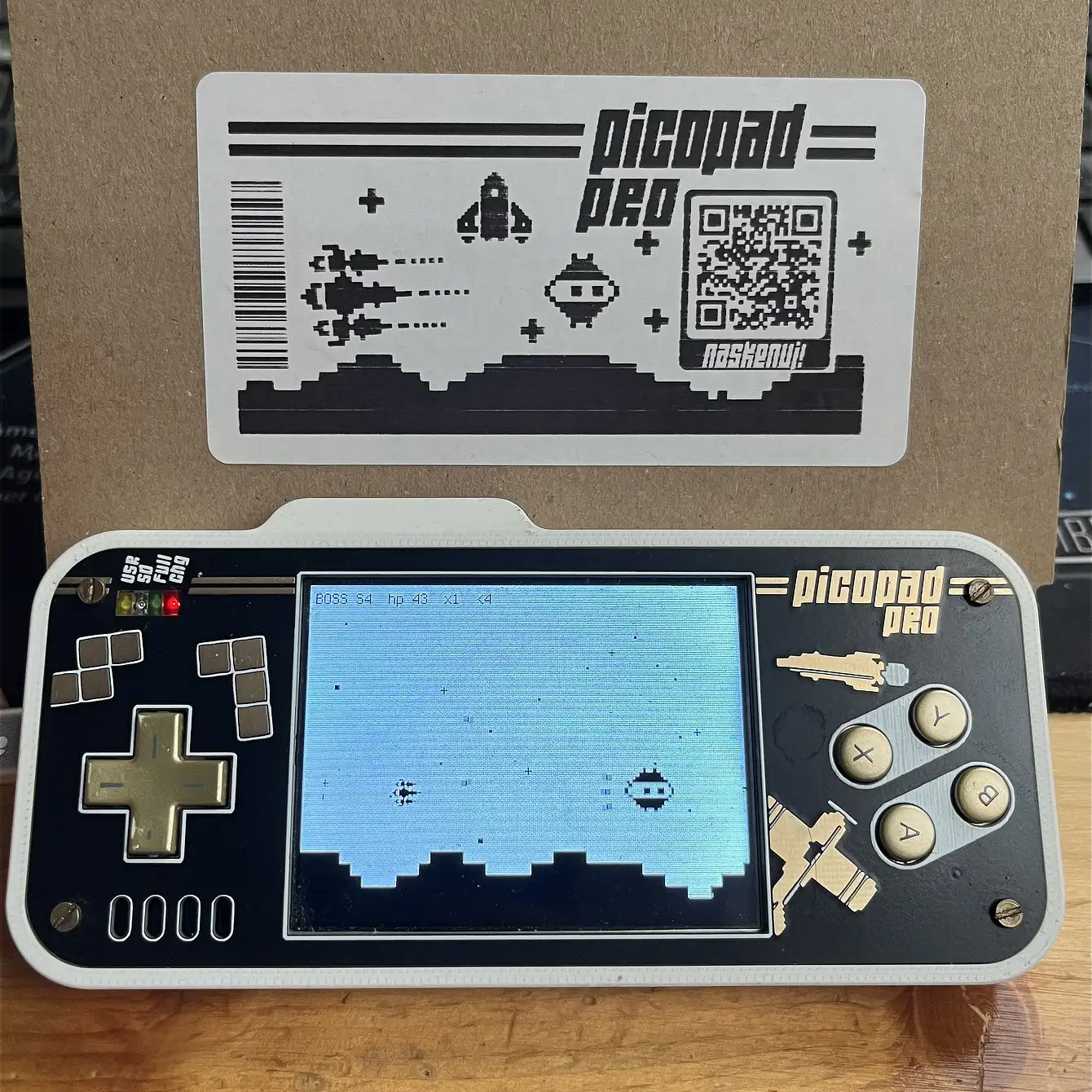
Smitka gives his original motivation as follows: after porting CircuitPython to the PicoPad, he was tempted to build the game shown on its box. That turned out not to be feasible, because displayio (the CircuitPython display layer) was too slow for it and the existing Stage game library too limited – it only allows objects of 16x16px. So he started looking for a way to modify Stage so it could use sprites of arbitrary size. In the end it became clear that it would be better to take it from the ground up and build a complete engine that would be pleasant to work with 🙂.
As it turns out, Smitka was not the only one who ended up building his own engine. Since displayio is designed more for widgets and dashboards than for games, and the Stage library is limited and struggles with newer CircuitPython releases, the question keeps coming up on Reddit and in other communities: how do you work around the limits of the existing libraries, and is there a decent game engine for the Pico at all? More often than not it ends with the person asking starting to write their own engine in C.
What picogame runs on
The reference device is the Czech-made PicoPad with an RP2040 (a Raspberry Pi Pico module), a 320x240px display, buttons and a small speaker. The engine will however run on almost any CircuitPython-capable board that has around 200kB+ of RAM and a display with an ST7789 or ILI9341 controller at a sensible resolution.
Picogame has been successfully brought up on a plain Pico 1/2, the Adafruit Feather S3 TFT, the Pimoroni PicoSystem board and the powerful Adafruit Fruit Jam. Fruit Jam is in fact the second platform picogame is tuned for – it is what prompted support for USB peripherals and for higher resolutions.
To let the fun begin, all you have to do is flash CircuitPython firmware with picogame support onto your device. For common boards it is currently available pre-compiled on the project website, and there are prospects of it becoming official in time.
Performance
It is only fair to say first what we are up against here. Redrawing the entire display over SPI is a physical ceiling that no library can get past. Measurements on displayio show that transferring a full 240x240px screen at 64 MHz takes around 144 ms, which is under 7 frames per second – and that is before you compute anything at all. The trick for faster redraws is to send nothing to the display that has not changed, and picogame tries to exploit it as much as possible.
Even though you write the game in Python, the result can be very fast. Picogame uses a lot of tricks to work around the two main bottlenecks – pushing pixels to the display over SPI, and the amount of RAM.
The PicoPad display has a resolution of 320x240px and redrawing all of it takes a moment. So the engine does not treat the display as a bitmap; it works with actual objects in a scene (retained mode) and sends only the changed rectangles (dirty rects), which it computes cleverly. On top of that it redraws in narrow strips, sized so that the processor just about manages to compute the next strip while the previous one is being sent to the display in the background.
For games where only a few objects move and there is no need to repaint the whole screen every frame, picogame manages anywhere from tens to a couple of hundred FPS. To give you an idea, the Bouncing Balls demo ran at 115 FPS under the Stage library on the PicoPad. The same code, thanks to a compatibility layer, ran at 250 FPS under picogame.
All the maths in the C part of the engine is fixed point, and trigonometric functions, for instance, use pre-computed tables. The author admits that in many respects he drew inspiration from Miroslav Němeček’s PicoLibSDK.
The second bottleneck is RAM, and it tends to be the most common reason why games in CircuitPython end before they properly begin. The RP2040 has 264 kB of SRAM, CircuitPython takes its share, and what is left for the game is a few tens of kilobytes. Meanwhile a full 320x240px framebuffer in RGB565 would eat over 150 kB on its own. Fragmentation comes on top of that: there may be plenty of free memory, just not in one contiguous block. Picogame, by contrast, tries not to allocate large memory blocks at all, or to allocate them early in memory, which is what keeps it frugal.
What you can build in picogame
Limited hardware does not mean just Snake or Pong. Another test project was therefore rewriting Moon Miner, a game originally built for the beefy Adafruit Fruit Jam (RP2350, 8MB PSRAM, 16MB flash) and running at 640x480px. After the rewrite to picogame the game became more than 6x faster and the resulting code was 40% smaller thanks to the engine’s native functions. With a few further tweaks it was also possible to get it running on the PicoPad with its far weaker RP2040.
With picogame you can build practically the whole portfolio of retro genres – arcade and action games, shooters, racing (including pseudo 3D), platformers, puzzle and card games. The engine can also handle games with deeper logic, so you can build something like a smaller RPG with a world map, dialogue and turn-based combat (tutorial here). The author has also ported Vlak, a legendary Czech puzzle game from the DOS era, with all 50 levels 🙂.
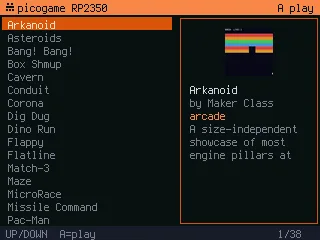
The repository holds plenty of sample games across genres that can be used as a starting point. They were not written merely to demonstrate syntax, but as real playtests that the engine grew around. The tooling also includes a browser-based scene editor, utilities for converting graphics from PNG and a lot of other helpers.
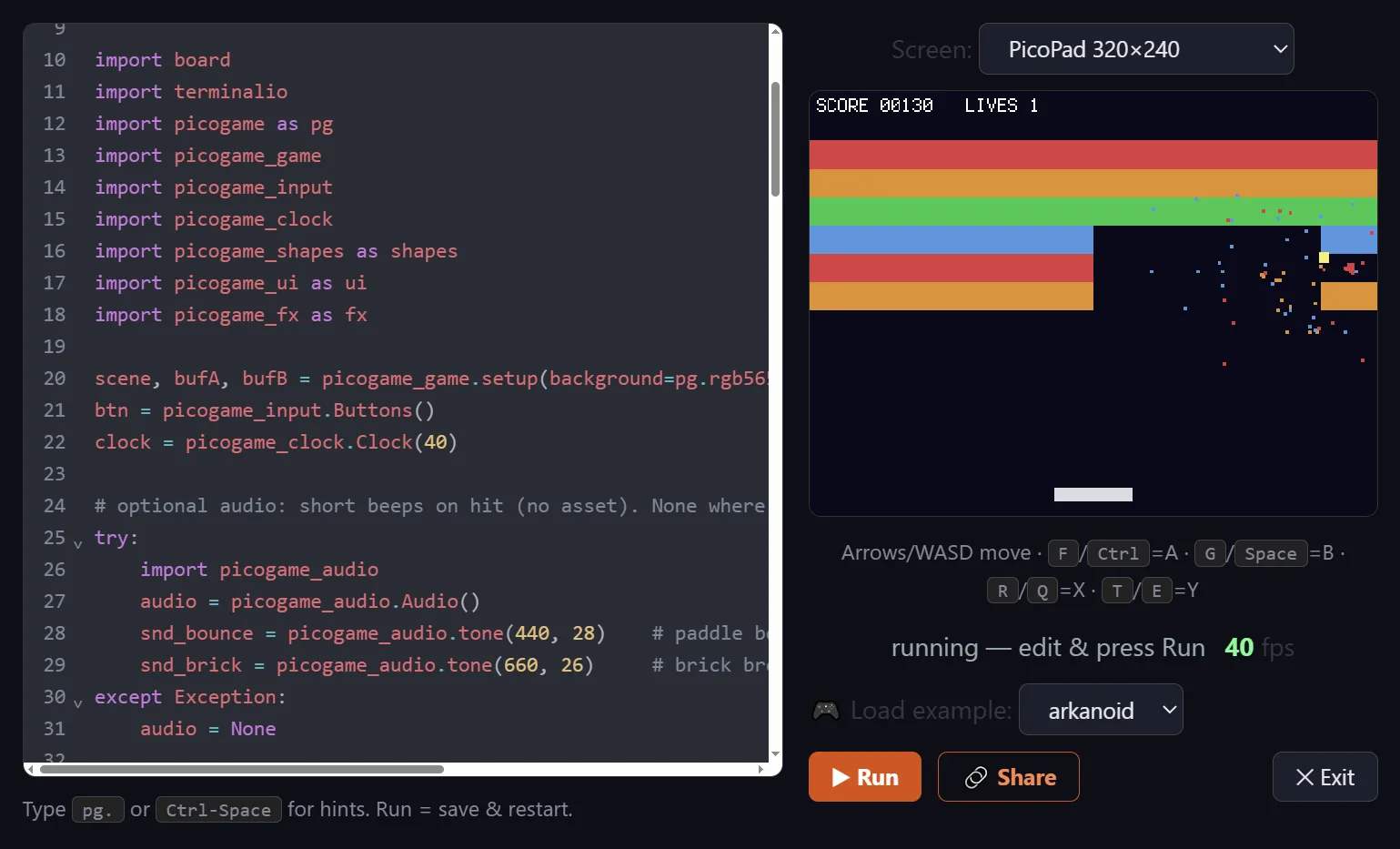
All the ready-made games can be tried directly in your browser.
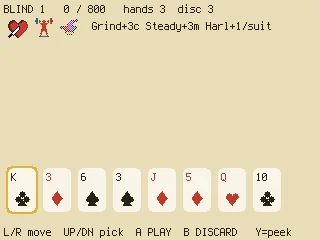
Smitka’s own favourites among the games he has built in picogame are Corona – an action survival arena packed with moving objects – and the calmer card game Picatro, inspired by the popular Balatro.
How to get started
The easiest way to explore picogame is to work through the tutorial on the website, where you build three simple games step by step. You do not even need hardware for that, everything can be tried in the emulator directly in the browser.
If you want to go the hardware route, the simplest option is a PicoPad or a similar board with a few buttons and a display. The Adafruit Fruit Jam is supported as well, with DVI/HDMI output and control via a USB gamepad or keyboard.
For these gaming boards you can also download ready-made game bundles with a launcher, which you simply copy onto the device.
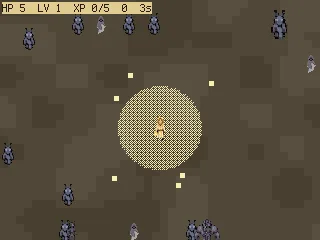
If you do not have a board like that, building your own handheld console is easy. All you need is a Raspberry Pi Pico module (ideally the version 2), an SPI display (ideally an ST7789 at 320x240px), a few buttons and optionally a passive piezo buzzer or a small speaker. And if you follow the reference PicoPad wiring on top of that, the firmware built for it will work without any configuration changes.
Conclusion
Picogame is an engine that lets you build your own game fairly easily, even on boards whose best days are behind them and that are gathering dust in a drawer. And if you do not have a suitable device at all? Never mind, you can at least try the development side online on the project website, or play the ready-made games right there. The whole project is open source and you will find it on GitHub.