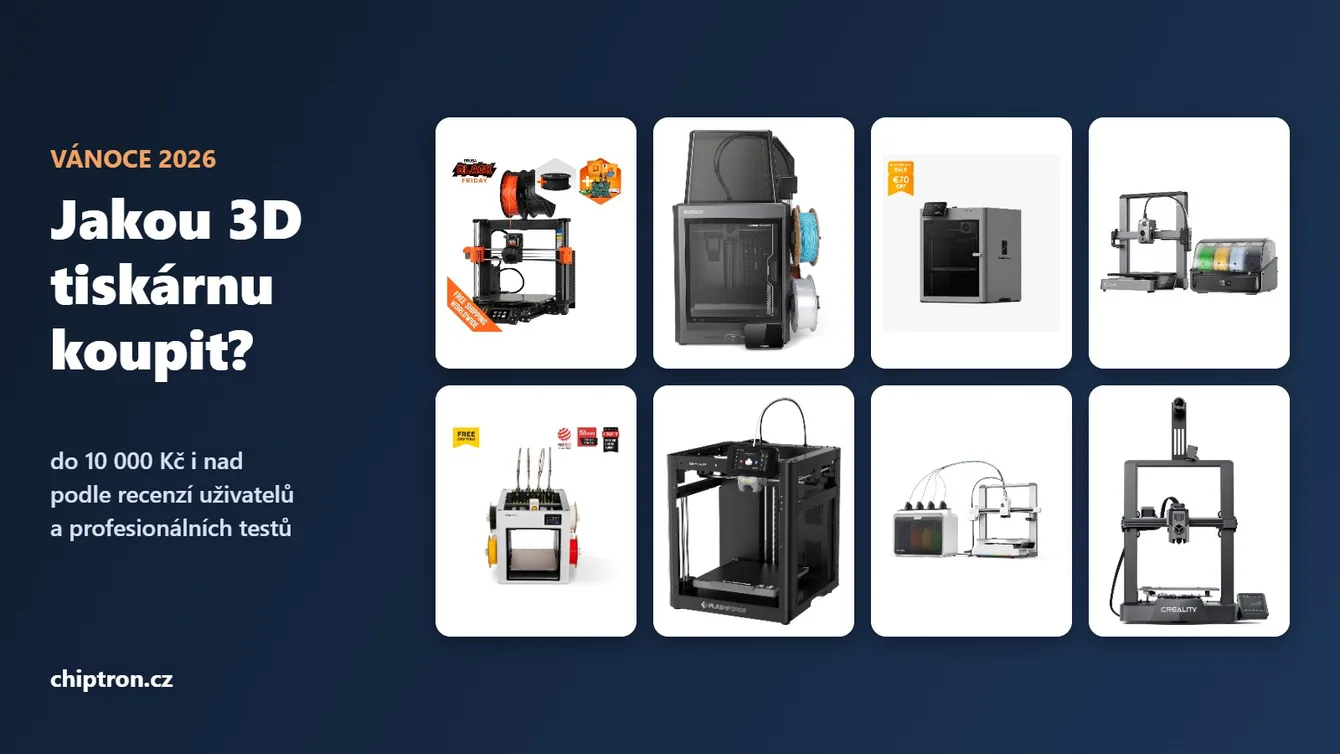
For the past few weeks, I’ve been reading the same question on 3D printing forums and in groups: “Which printer should I get for Christmas?” Then 30 comments show up, evaluating 20 different printers. I’m not sure how much that helps the person who asked. So I went through dozens of user reviews and professional tests, and put together this list.
I based my choices on ratings from Czech retailer Alza (only models with at least ten ratings), Amazon.de, and tests from Tom’s Hardware, TechRadar, All3DP, and others. I’ve included only complaints that came up repeatedly. The list covers pre-assembled FDM printers – no kits or resin printers.
- Printers under ~$450
- Printers over ~$450
- What to check when buying a used printer
- Which filament to include
- Glossary: AMS, CoreXY, bedslinger, and more
If you’re new to 3D printing, take a look at my 10 tips for 3D printing beginners and filament selection guide, too.
The newest 3D printers are missing from this list for a simple reason: they don’t have any user reviews yet.
Why the Bambu Lab A1 isn’t on this list
The Bambu Lab A1 is at the top of almost every international roundup, and its user ratings are excellent: 4.6 from 723 ratings on Amazon.de, with 84% five-star reviews. Even so, I don’t recommend it.
In 2024, Bambu Lab recalled the printer because the heated-bed cable could be damaged by repeated bending, creating a risk of a short circuit. Later, photos began appearing of A1 printers with melted covers. The culprit was a component on the power board that overheated enough to melt the surrounding plastic. I wrote about it in Bambu Lab has a problem. Again. The plastic is melting.
Customer ratings show you how a printer prints. They don’t show that one model had two serious, recurring power-related faults in two years. The manufacturer fixed both issues in newer production runs, but that doesn’t change my view. You can find better printers in the same price range.
Printers under ~$450
This is the most searched price range. Printers in the $270–$410 range now come with automatic calibration, print at over 300 mm/s, and some even support multicolor printing.
Flashforge Adventurer 5M
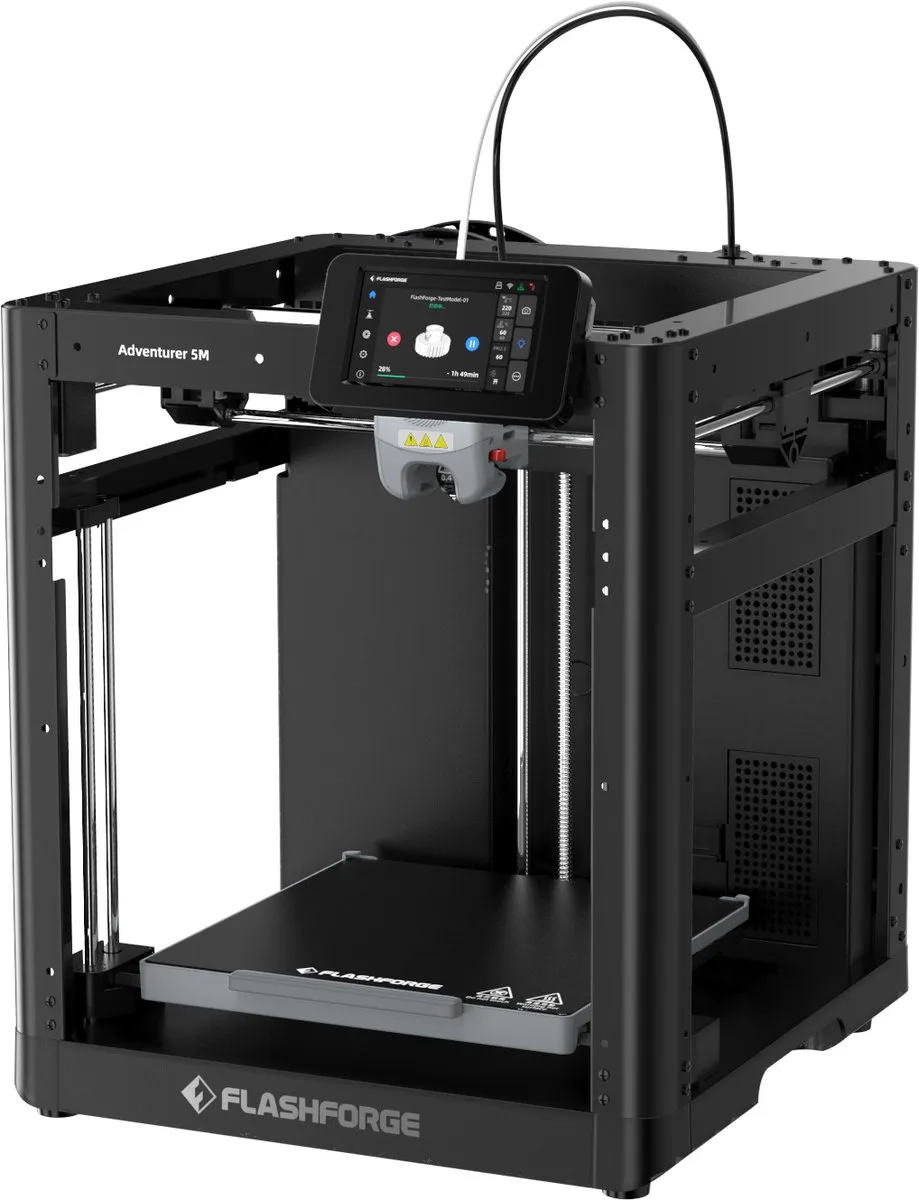
An open-frame CoreXY printer with automatic calibration, an all-metal hotend, and quick, tool-free nozzle changes.
It has 4.6 from 14 ratings on Alza. Reviewers repeatedly mention that even people with no 3D printing experience got it up and running. The recurring complaints are noise and the power switch being on the back. Professional reviews praise its speed and ease of use; Tom’s Hardware criticizes the weaker software on the Pro version.
The build volume is just 22 × 22 × 22 cm. It prints in one color and has no enclosure. Printing ABS or ASA on it is very difficult without an enclosure, and may not work at all.
Price: ~$270 at Alza. The enclosed Adventurer 5M Pro costs around $450.
Elegoo Centauri Carbon 2 Combo
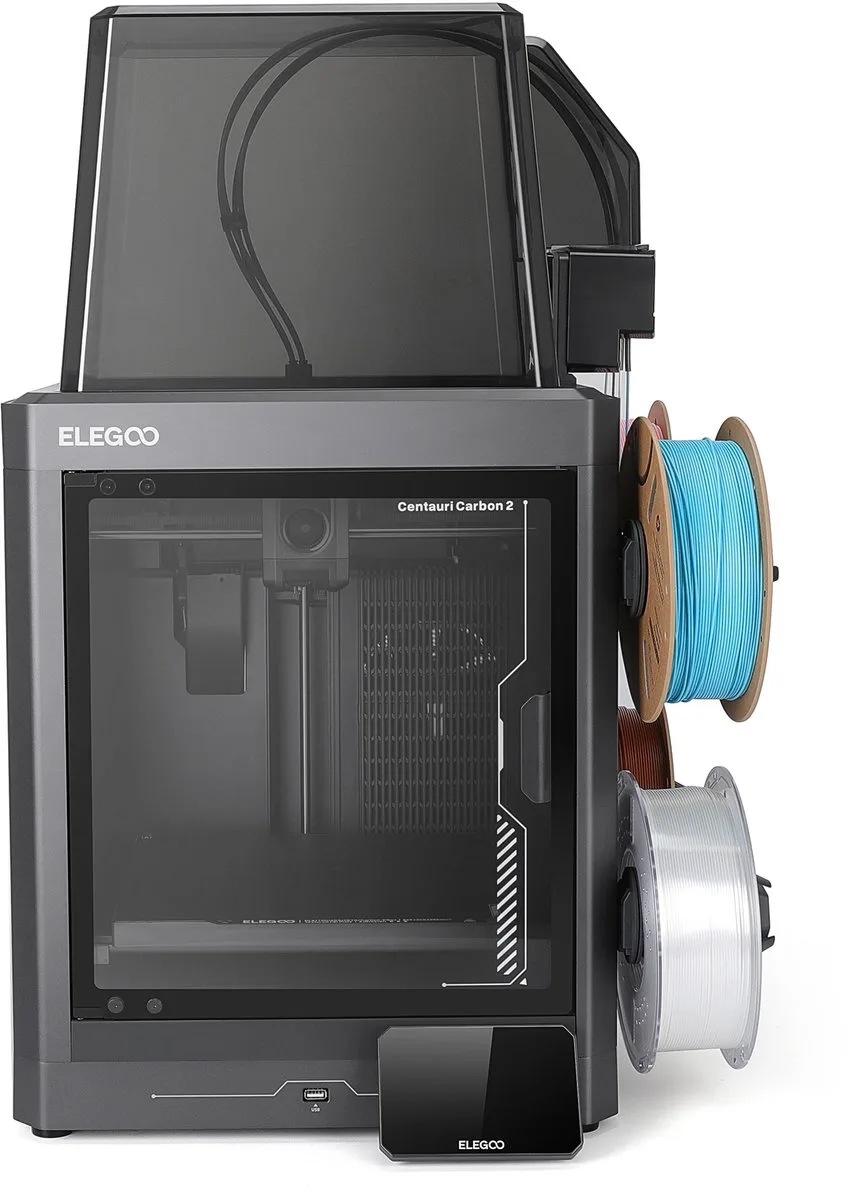
An enclosed CoreXY printer with a metal frame, glass door, camera, hardened nozzle, and a CANVAS unit for printing with up to four filaments. It has the most features of any printer on this list at this price.
Its Alza rating has dropped to 4.2 from 23 ratings. Three complaints keep coming up in user reviews: noise, uncovered spools (which let the filament absorb moisture), and faults in the first few days that required a replacement printer or part – for example, a non-working fan or a vibrating printhead cover. Professional reviews are more positive: Hackster calls it reliable and says its print quality is on par with Bambu Lab, while TechRadar gives it full marks for value. Notebookcheck says the software still needs work.
Price: ~$400 at Alza.
Creality Hi Combo
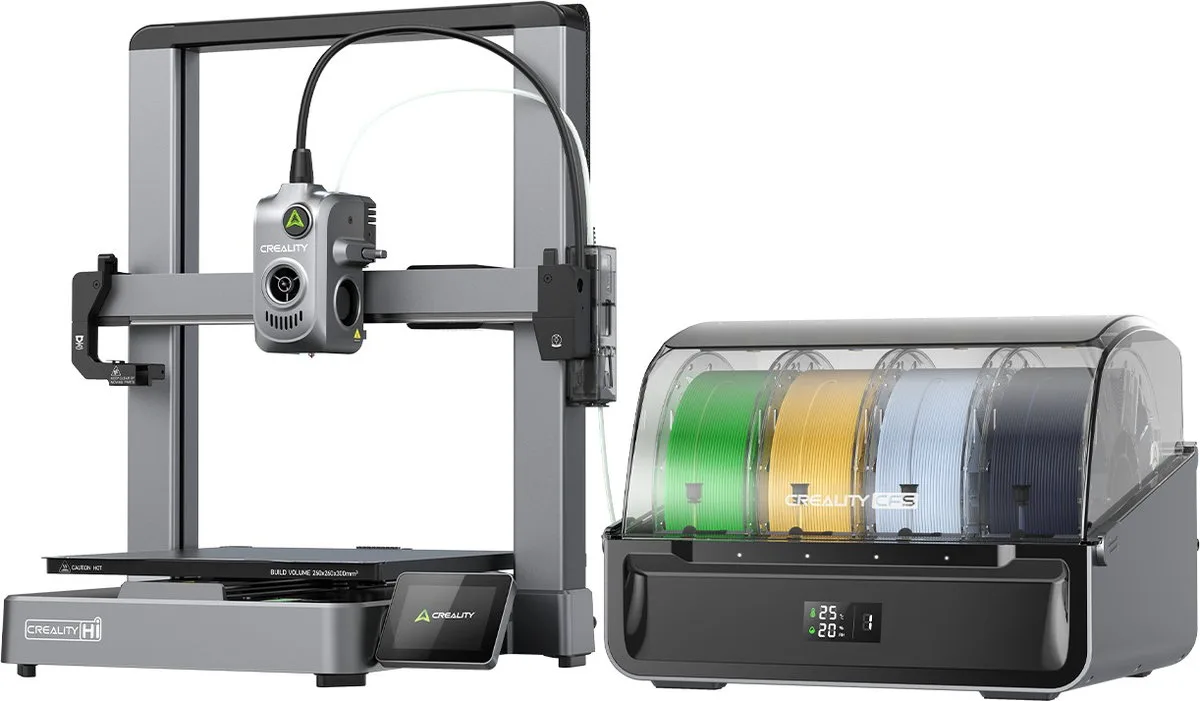
The cheapest multicolor printer with strong user reviews. It’s a bedslinger – the bed moves back and forth – with a CFS unit that holds four spools and monitors humidity.
It has 5.0 from 20 ratings on Alza, and no particular fault keeps coming up in the reviews. The complaints are limited to the lack of a local-language interface and vibration during fast printing. Tom’s Hardware considers it a solid entry point into multicolor printing, but says the CFS unit is loud enough to hear in the next room. International forums mostly discuss how reliably the CFS works with cardboard spools.
Price: ~$350 at Alza.
Creality SparkX i7 Color Combo
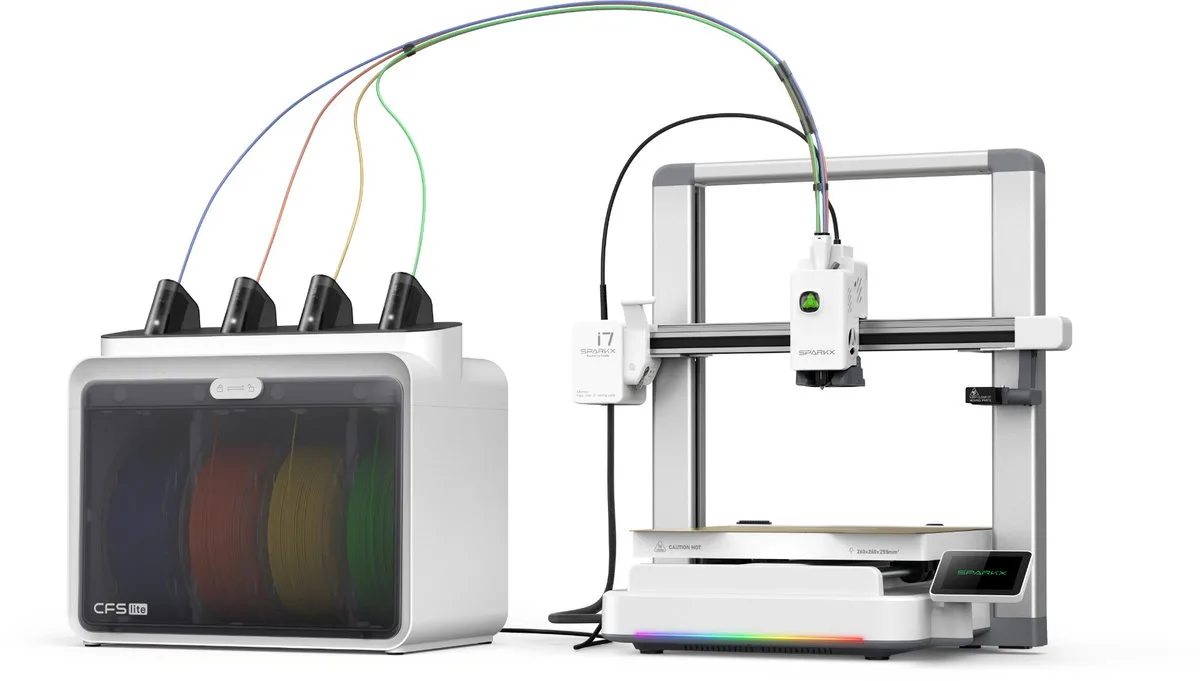
Launched this January under the SparkX brand (“powered by Creality”), this printer is aimed at beginners. It supports four colors through the CFS Lite unit, has a camera that detects print failures, and calibrates before each print.
Professional reviews are excellent. Tom’s Hardware named it one of the best printers of the year so far and a great four-color printer for beginners; CGMagazine praises how easy it is to set up. There aren’t many user ratings yet (Alza: 4.4 from 8; Amazon.de: 4.1 from 55). The most common issue on Creality’s forum is error FO0528: a sensor reports that the filament isn’t moving, and the print stops. The cause may be a filament jam, but the sensor can also trigger a false alarm.
Price: ~$390 at Alza.
Creality Ender-3 V3 KE
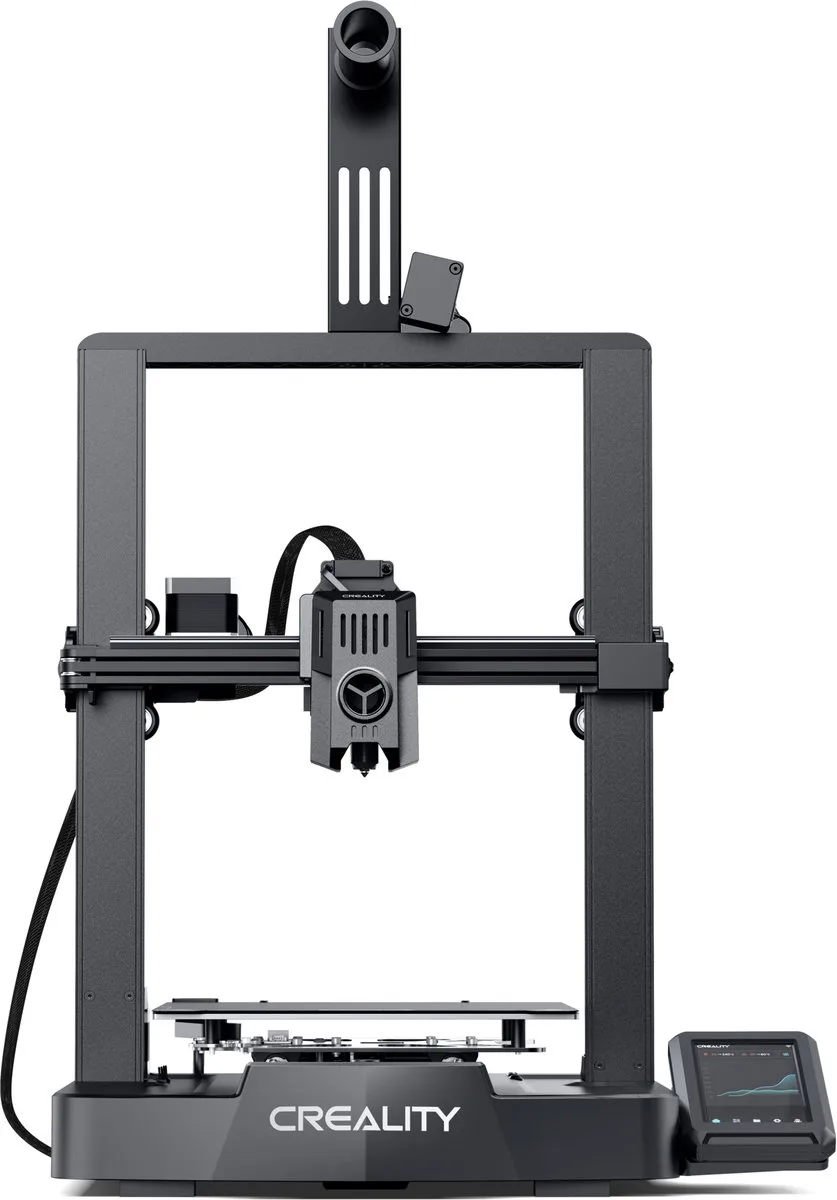
The cheapest printer on this list. It has 4.6 from 173 ratings on Alza – more than any other printer I found. Most owners are happy and say they had it running within half an hour. A smaller group reports clogged nozzles and failed prints right from the start.
Price: ~$260 at Alza.
I left out the Creality K2 SE. It has a 4.0 rating from 203 reviews on Amazon.de, and 15% of them are one-star – the highest share among the printers I considered.
Printers over ~$450
More reliable printers, better service and parts availability, and improved multicolor printing.
Prusa MK4S
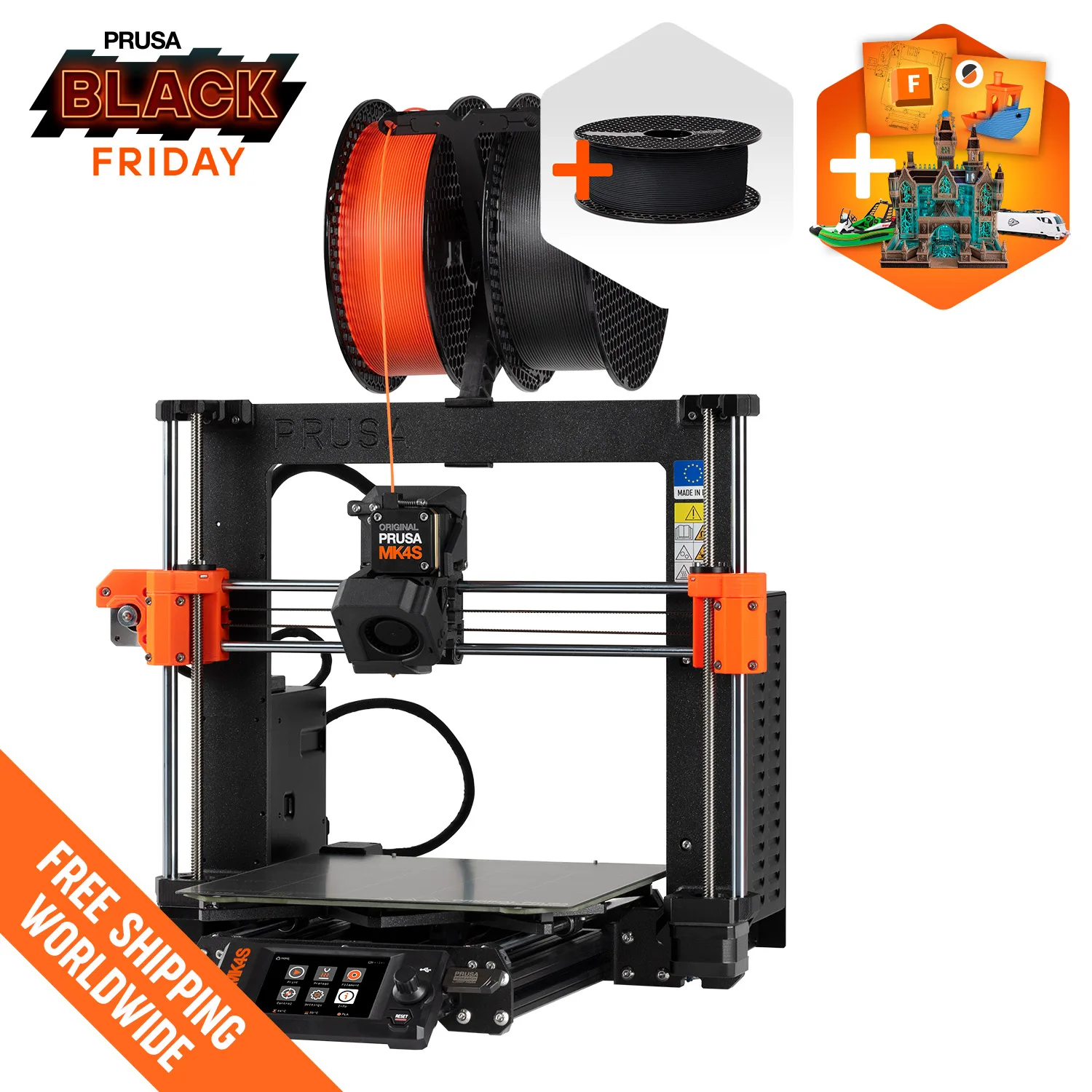
Next to enclosed CoreXY printers, the MK4S looks like a previous-generation design: a moving bed and no enclosure. That doesn’t make it a bad choice.
- You can get to everything without taking off a cover, and cleaning and repairs are quick.
- Replacement parts will be available for years, you can print most of them yourself, and support is available in multiple languages.
- Prusa has permanently cut the price, and the firmware keeps gaining new features. You can upgrade the printer to the newer model.
- It’s the first consumer FDM printer with UL certification for low emissions when printing PLA and PETG.
- It works fully offline, and the firmware is open source.
It’s a good fit for printing PLA and PETG. For ABS, ASA, and multicolor printing, the CORE One+ is a better choice.
Price: ~$1,090 for the assembled version at prusa3d.com.
Bambu Lab P2S Combo
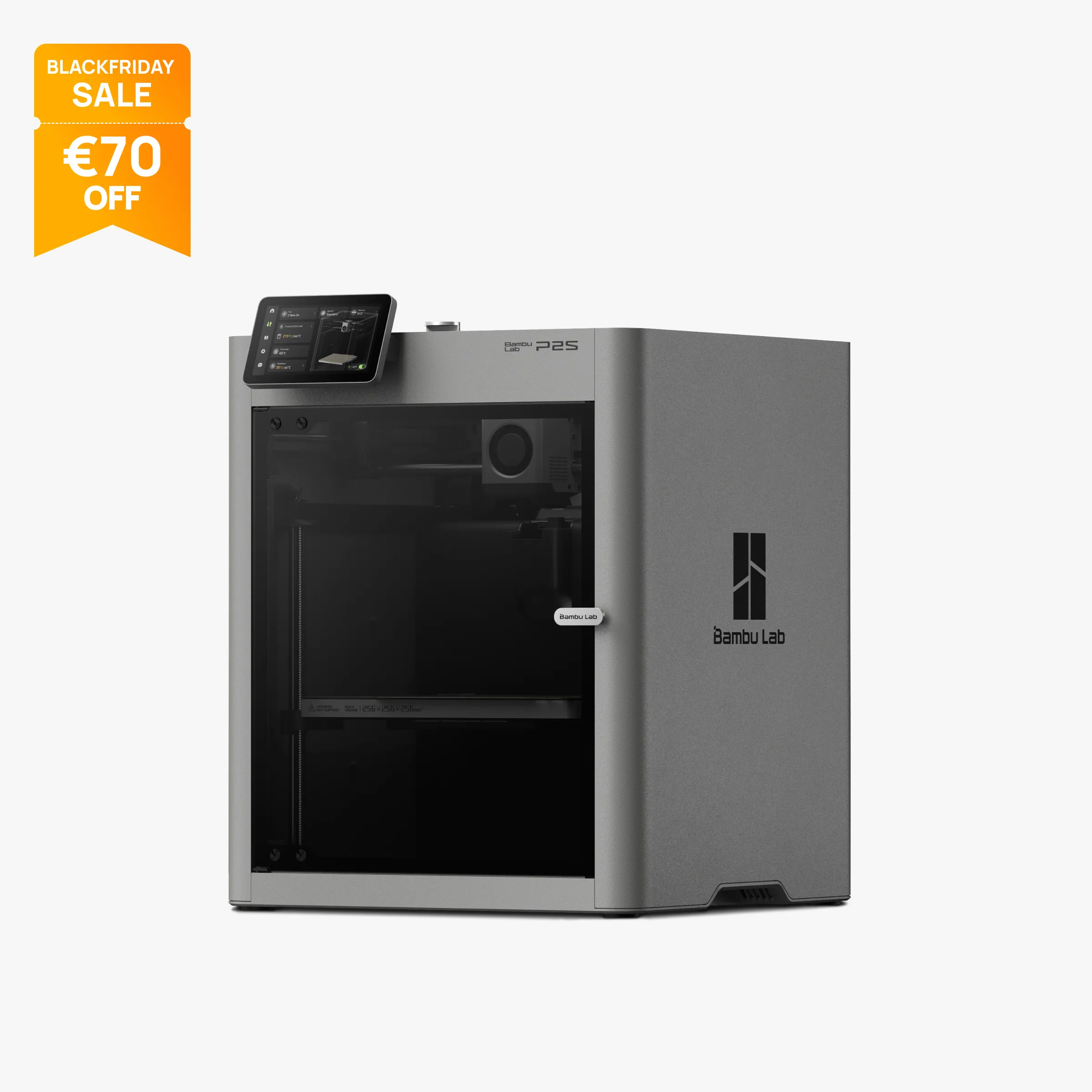
The P2S is a very different design from the A1: an enclosed CoreXY and the successor to the popular P1S. The Combo includes an AMS 2 Pro unit that also dries filament.
Professional reviews are unanimous. Tom’s Hardware gave it an Editor’s Choice award, PCMag described it as about as close to perfect as a 3D printer can get, and TechRadar called it nearly perfect after 300 hours of printing. There aren’t many user ratings yet. Several people on the Bambu Lab forum complained that some firmware updates broke their prints. The ecosystem is closed.
Price: around $680 for the Combo. The printer on its own costs ~$650 in the official store.
The new printer in the P series is the P3S. I left it off this list because there aren’t enough reviews yet.
Snapmaker U1
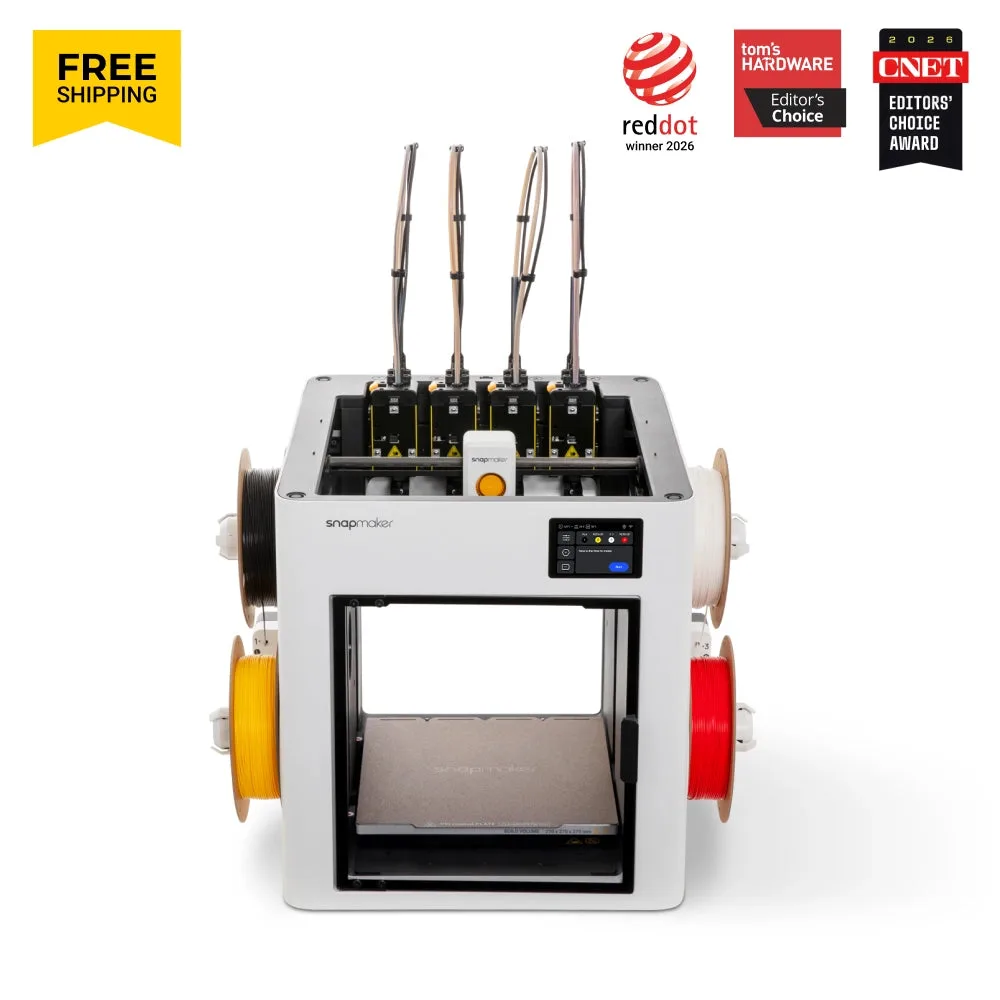
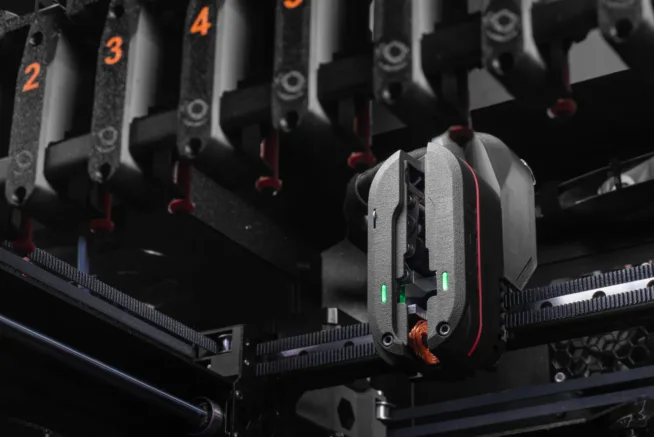
A toolchanger with four printheads for the price of a printer that usually comes with one head and an AMS. Each color has its own head, so there’s much less purge waste when changing colors, and prints finish faster. A budget alternative to the Prusa XL. Its Kickstarter campaign raised over $20 million from around 20,000 people.
Tom’s Hardware considers it good value even at full price, and VoxelMatters confirmed that it prints third-party filaments without trouble. I couldn’t find a body of user reviews for the U1 specifically. Four printheads mean more calibration and more complicated maintenance.
Price: around $910 from resellers. It costs ~$810 in the Snapmaker EU store.
Prusa CORE One+
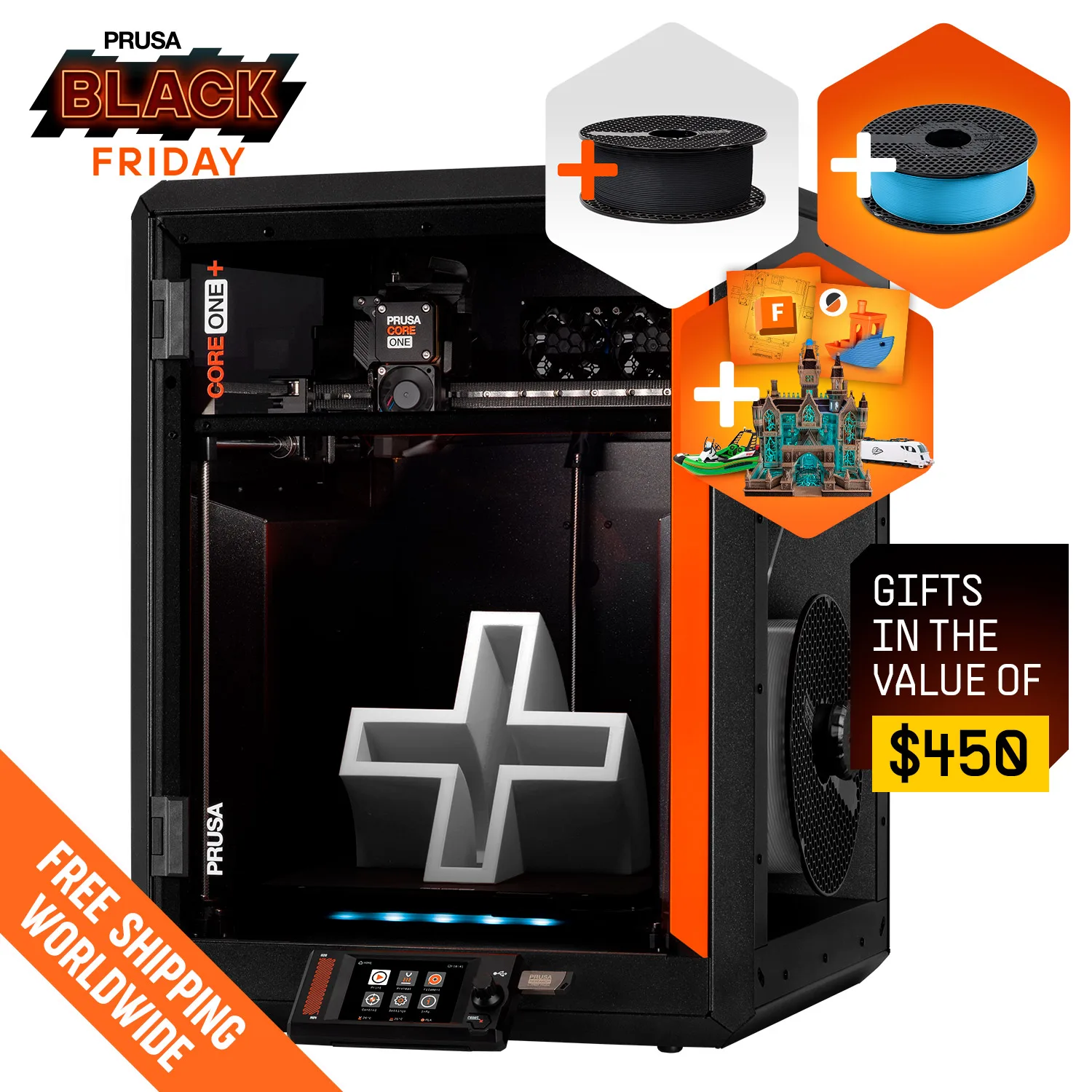
An enclosed CoreXY built around the same philosophy as the MK4S: everything can be repaired, modified, and upgraded later – for example, to a toolchanger with INDX. Creative Bloq describes it as a printer you can truly own, modify, and repair; 3DPrint.com praises its low noise and repairability. It isn’t as fast as a Bambu printer, since Prusa sets conservative speed limits. There are only a few user ratings so far.
Price: ~$1,500 for the assembled version at prusa3d.com, currently with a Black Friday deal.
What to check when buying a used printer
Open-box and display models, or a printer bought secondhand, can save you a few hundred dollars. But a printer is a machine with moving parts, and those parts wear out. Before you pay, check:
- Print hours. Most current printers show this in the menu or app. An “open-box” unit should be close to zero; on a used printer, the number tells you how much work it has done.
- The build plate. Scratches, worn patches, or leftover glue can make the first layer harder to stick. A replacement plate costs a few dollars, so factor that into the price.
- The nozzle and hotend. Baked-on filament around the nozzle is a sign that the printer has already had a few “spaghetti” failures. A clogged or worn nozzle can be replaced, but you should know about it before buying.
- A test print on the spot. Run the calibration and print a small model, such as a Benchy. Listen for grinding or squealing from the bearings or motors.
- Whether it’s still linked to the previous owner’s account. Bambu Lab and Creality printers can be paired with an account in the app. Make sure the seller unlinks it, or you won’t be able to control it remotely.
- The warranty. Open-box goods from a retailer still have a full warranty. A private seller won’t provide one unless they pass on the proof of purchase and the warranty is still valid.
- Older recalled batches. If you’re buying a used Bambu Lab A1, check whether it has the replacement bed cable and the revised power board. This applies more generally: for any older printer, check whether it has been recalled or has a known fault.
- Replacement part availability. A discontinued model may be cheap for a good reason. Parts for older Prusa models are easy to find; with cheaper Chinese printers, that can be harder.
Which filament to include
Start with PLA. It’s easy to print, doesn’t smell, and works for most things. Use PETG for functional parts and things that get warm. Leave ABS and ASA for later, and only use them in an enclosed printer. Two or three spools of PLA in different colors make a good gift to go with a printer. My filament selection guide goes into more detail.
Does Bambu Lab need special filament? No. Every printer on this list can print any 1.75 mm filament, whether it’s Prusament, Filament PM, or Alzament. Bambu’s original spools have an RFID chip that lets the printer set the print parameters automatically. For other brands, you select a profile manually.
One thing to watch out for when printing multicolor with an AMS (Bambu), CFS (Creality), or CANVAS (Elegoo): these units need spools around 20 cm in diameter and don’t like cardboard spools, such as the ones used by Alzament. Bits of paper can rub off them; Creality says so outright in the CFS manual. A printed rim or respooling onto a plastic spool can help. If you’re printing from one spool on a holder, the spool material doesn’t matter.
Glossary: AMS, CoreXY, bedslinger, and more
3D printing has its own vocabulary, and manufacturers add their own names to the mix. Here are the terms used in this article.
- FDM (sometimes FFF): a printing process where the printer melts plastic filament and deposits it layer by layer. All printers in this article are FDM. The other common technology is resin printing (SLA, MSLA), which I’ve left out.
- Filament: plastic thread wound onto a spool, usually 1.75 mm in diameter. A 1 kg spool of PLA costs around $11–$27.
- PLA, PETG, ABS, ASA: the most common materials. PLA is the easiest to print; PETG is stronger and more heat-resistant; ABS and ASA handle the most heat, but smell during printing and need an enclosed printer, or the print can warp and lift off the bed.
- Bedslinger: a printer where the bed moves back and forth and the printhead moves left and right (MK4S, Hi Combo, SparkX i7, Ender-3 V3 KE). It’s cheaper and easy to maintain. Because the heavy bed moves with the print, speed is limited, and tall, thin models can wobble.
- CoreXY: the printhead moves along both horizontal axes while the bed slowly moves down. Two motors work together through a long belt. Since only the lightweight printhead moves, the printer can reach higher speeds. CoreXY printers are typically enclosed.
- Enclosed printer (enclosure): a printer inside a box with a door. It keeps heat in, which ABS and ASA need, and reduces noise.
- Hotend and nozzle: the hotend is the part of the printhead that melts filament; the nozzle is its metal tip, where the plastic comes out. A standard nozzle opening is 0.4 mm. A hardened nozzle can handle carbon-fiber filaments, which quickly wear down a regular brass nozzle.
- AMS, CFS, CANVAS, MMU: units for printing with multiple colors or materials. They hold several spools, usually four, and automatically switch between them through a single printhead. AMS is Bambu Lab’s name, CFS is Creality’s, CANVAS is Elegoo’s, and MMU is Prusa’s.
- Purge (“poop”): when changing colors, the printer has to push the remaining old filament out of the nozzle. This creates waste, which the community calls “poop.” On a model with lots of color changes, the waste can weigh more than the print itself.
- Toolchanger: a printer with several separate printheads that it swaps during a print (Snapmaker U1, Prusa XL, CORE One+ with INDX). Each color has its own nozzle, so there’s much less purge waste and color changes are faster.
- INDX: a tool-changing system from Bondtech, offered by Prusa for the CORE One+. It turns a single-head printer into a toolchanger with four or eight tools.
- Combo: when it appears in a printer’s name, it means the package includes a multicolor unit (AMS, CFS, CANVAS). Without the Combo, you print in one color. For most printers, you can buy the unit later.
- RFID: a chip on a spool of original filament. The printer reads the material and color from it, then sets the temperatures automatically. For filament without a chip, you select a profile manually.
- Automatic calibration: before printing, the printer measures irregularities in the bed and the distance to the nozzle. All the printers in this article do this. Newer models also measure frame vibrations and compensate for them during printing (input shaping), which lets them print fast without “ghosting” around the edges.
- Slicer: a computer program that “slices” a 3D model into layers and generates the printer commands (G-code). Common slicers include PrusaSlicer, Bambu Studio, and OrcaSlicer. They’re all free.
Prices were correct when I wrote this article (November 19, 2026) and may change before Christmas. This article was made possible by your purchases through affiliate links. Thank you!